
Rectangle Construction with GeoGebra
Loading the math board and drawing, please wait…
In collections
P4 4S1 Making Quadrilaterals
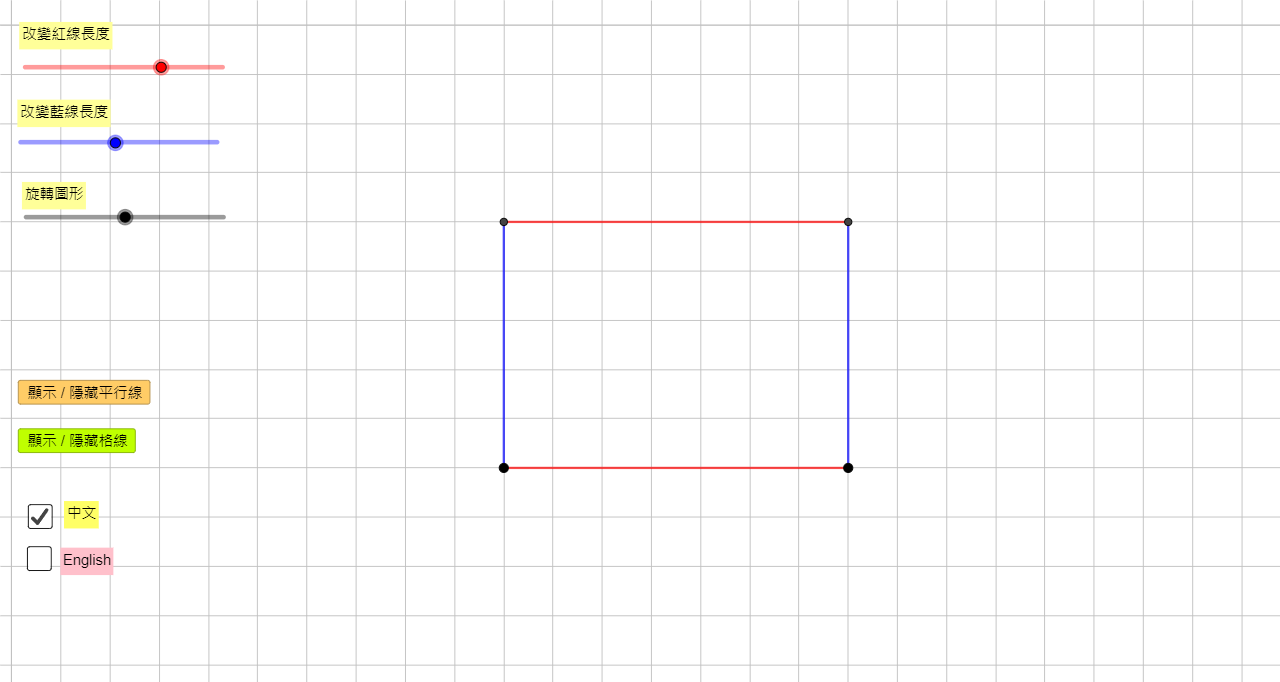
This example demonstrates how to draw a rectangle using GeoGebra tools. The key mathematical concepts include geometric construction, properties of parallel lines, and coordinate geometry. Construction involves using commands like Circle, Point, Rotate, Segment, and creating parallel lines, rays, and intersection points. Suitable for middle school or high school students to learn geometric basics and drawing techniques.
GeoGebra Commands & Parameters
Circle(ParaPo1, ParaLeng1) → ParaCir1Point(ParaCir1) → ParaPo1AuxRotate(ParaPo1Aux, (-ParaAngle1), ParaPo1) → ParaPo2Segment(ParaPo1, ParaPo2) → ParaSeg1Circle(ParaPo1, ParaLeng2) → ParaCir2Ray(ParaPo1, ParaPo2) → ParaRay1Intersect(ParaCir2, ParaRay1, 1) → ParaPo2AuxRotate(ParaPo2Aux, ParaAngle2, ParaPo1) → ParaPo3Segment(ParaPo1, ParaPo3) → ParaSeg2Line(ParaPo3, ParaSeg1) → ParaLine3Line(ParaPo2, ParaSeg2) → ParaLine4Intersect(ParaLine3, ParaLine4) → ParaPo4Line(ParaPo1, ParaPo2) → ParaLine1Line(ParaPo1, ParaPo3) → ParaLine2Segment(ParaPo3, ParaPo4) → ParaSeg3Segment(ParaPo4, ParaPo2) → ParaSeg4If(ShowChi, "改變紅線長度", "Change the lengths of red lines") → Text3If(ShowChi, "改變藍線長度", "Change the lengths of blue lines") → Text4If(ShowChi, "旋轉圖形", "Rotate the shape") → Text5If(ShowChi, "改變圖形內角的大小", "Change the angles inside the shape") → Text6
AI Drawing Prompt Reference
Start from a fixed point, draw a circle with a given radius, pick a point on it, rotate it around the center by an angle to get a second point, and connect them to form one side. Then draw another circle with a different radius, from the center cast a ray along the first side, intersect it with the circle to get a point, rotate that point by another angle to get a third point, and connect the center to the third point for the second side. Through the third point draw a line parallel to the first side, and through the second point draw a line parallel to the second side; their intersection gives the fourth point. Finally connect all four points in order to form a rectangle. Include adjustable text labels for changing side lengths, rotating the shape, or adjusting interior angles.
The prompt above was compiled from the original drawing commands and is for reference only.