
Quadrilateral Incircle and Scatter Plot Comprehensive Task
Loading the math board and drawing, please wait…
In collections
Thin Slice: Special Triangle Theorems (1A)
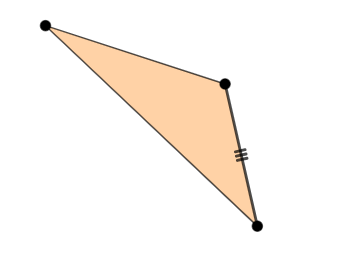
①This example demonstrates a comprehensive geometric task involving a general quadrilateral, an incircle, and a scatter plot, dynamically illustrating relationships among geometric elements in GeoGebra. ②Core mathematical concepts include properties of general quadrilaterals, conditions for constructing an incircle (tangent to all sides), and the use of scatter plots for visualizing geometric data, along with logical reasoning elements. ③Construction highlights: from the summary, Point command creates points A, B, C; Segment command generates segments f, g, h; Polygon command builds polygon t1; an incircle c is constructed using Incircle or Inscribed Circle related commands, with additional objects a and b, combining points, segments, polygons, and circles. ④Suitable for upper secondary or early university students, this serves as a practice for geometric construction, exploring incircle properties, and interdisciplinary learning linking data visualization with geometry, also useful for teacher demonstrations or student self-exploration.
GeoGebra Commands & Parameters
Point(Circle[A, 5]) → BSegment(A, B) → fSegment(A, C) → gSegment(B, C) → hPolygon(A, B, C) → t1, c, a, b
AI Drawing Prompt Reference
Draw a general quadrilateral ABC, connect points A, B, and C to form three sides f, g, and h, then use these sides to construct a quadrilateral t1 and draw an incircle c inside it. Finally, plot a scatter plot using points A, B, and C as data points.
The prompt above was compiled from the original drawing commands and is for reference only.