
Inscribed Polygon and Segment Construction in Circle
Loading the math board and drawing, please wait…
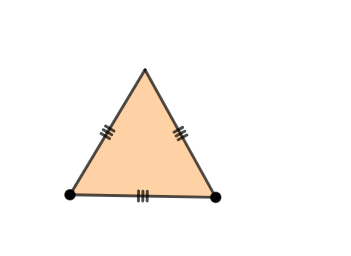
This example demonstrates how to construct an inscribed polygon within a circle and draw related line segments. Core mathematical concepts include properties of inscribed polygons, intersection relationships between segments and the circle, and coordinate relationships between points and polygon vertices. Construction: Use Circle command to draw the base circle, Point command to place points on the circle, Polygon command to connect vertices forming poly1, and Segment command to draw multiple line segments (l, m, n, I, q, r, s) to explore geometric relationships. Suitable for middle school mathematics chapters on circles, useful for understanding positions between circles and polygons, properties of chords, and geometric proof assistance.
GeoGebra Commands & Parameters
Circle(G, 5) → pPoint(p) → HPolygon(G, H, 3) → poly1, l, m, n, ISegment(G, H) → qSegment(H, I) → rSegment(I, G) → s
AI Drawing Prompt Reference
Draw a triangle inscribed in a circle, connect the vertices of the triangle to the center of the circle to form three line segments, and connect the midpoint of one side of the triangle to the center of the circle to form three more line segments, showing the relationships and properties between the circle, triangle, and line segments.
The prompt above was compiled from the original drawing commands and is for reference only.