
Projection to Sphere
Loading the math board and drawing, please wait…
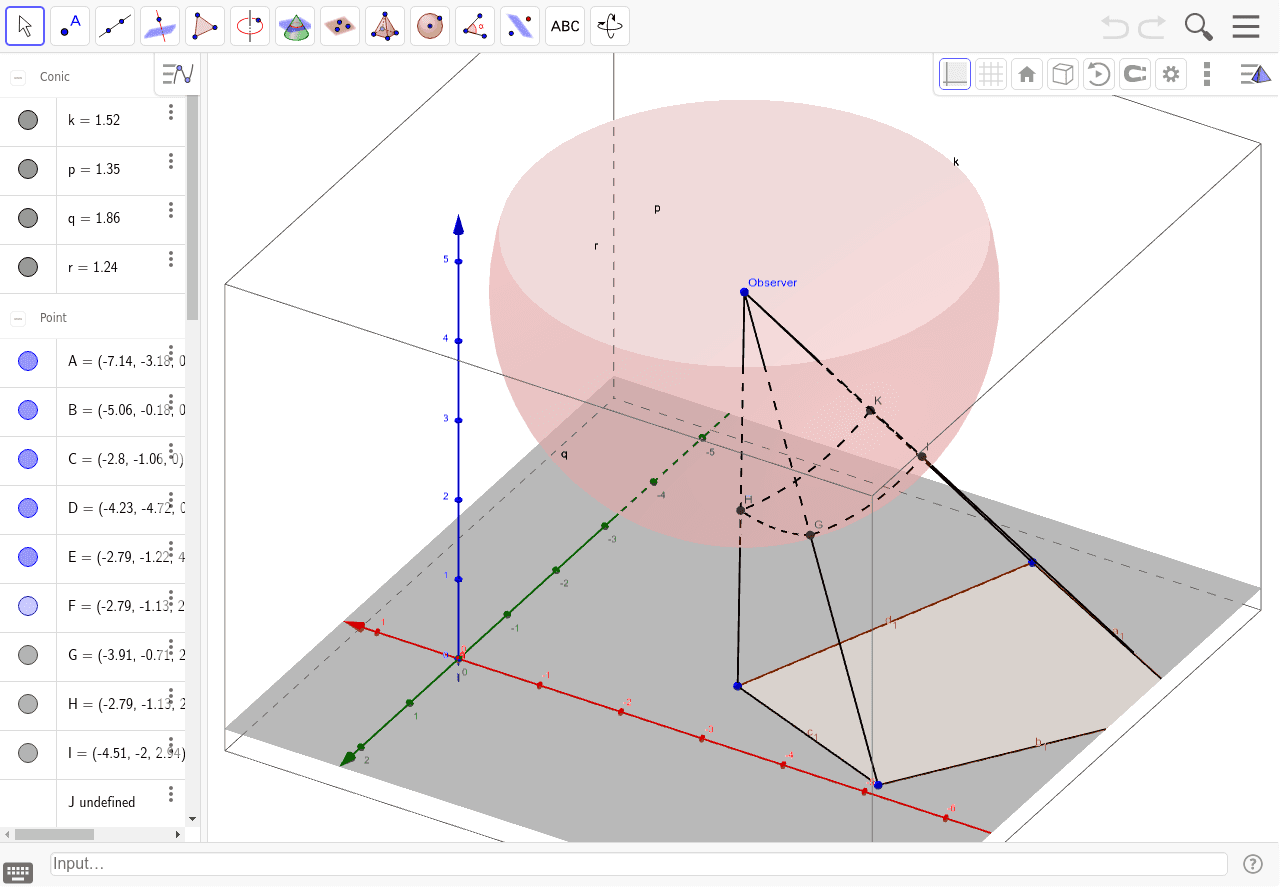
This example demonstrates how to project a plane figure onto a sphere. Key mathematical concepts include spherical geometry and projection transformations. Using GeoGebra commands such as Segment, Point, Sphere, and Intersect, complex geometric figures can be constructed. Suitable for high school and above students or teachers for teaching or research purposes.
GeoGebra Commands & Parameters
Segment(C, D) → bSegment(D, A) → cSegment(A, B) → dSegment(B, C) → eSegment(E, D) → fSegment(A, E) → gSegment(C, E) → hSegment(B, E) → iPoint(h) → FSphere(E, F) → aIntersect(i, a) → G,Intersect(h, a) → H,Intersect(g, a) → I,Intersect(f, a) → J, KPolygon(B, A, D, C) → poly1, b_1, a_1, d_1, c_1Point(d) → LSegment(L, E) → jIntersect(j, a) → M,CircumcircleArc(G, M, I) → kPoint(c) → NSegment(N, E) → lIntersect(l, a) → O,CircumcircleArc(I, O, K) → pPoint(poly1) → PPoint(b) → QSegment(Q, E) → mIntersect(m, a) → R,CircumcircleArc(K, R, H) → qPoint(e) → SSegment(S, E) → nIntersect(n, a) → T,CircumcircleArc(G, T, H) → r
AI Drawing Prompt Reference
Draw a plane figure and project it onto a sphere to demonstrate spherical geometry and projection transformations. Start by constructing the edges of the plane figure, then find the projection points, and draw the projected edges and vertices on the sphere, finally connecting adjacent vertices with arcs to form the projected shape on the sphere.
The prompt above was compiled from the original drawing commands and is for reference only.