
Section of a Right Circular Cylinder
Loading the math board and drawing, please wait…
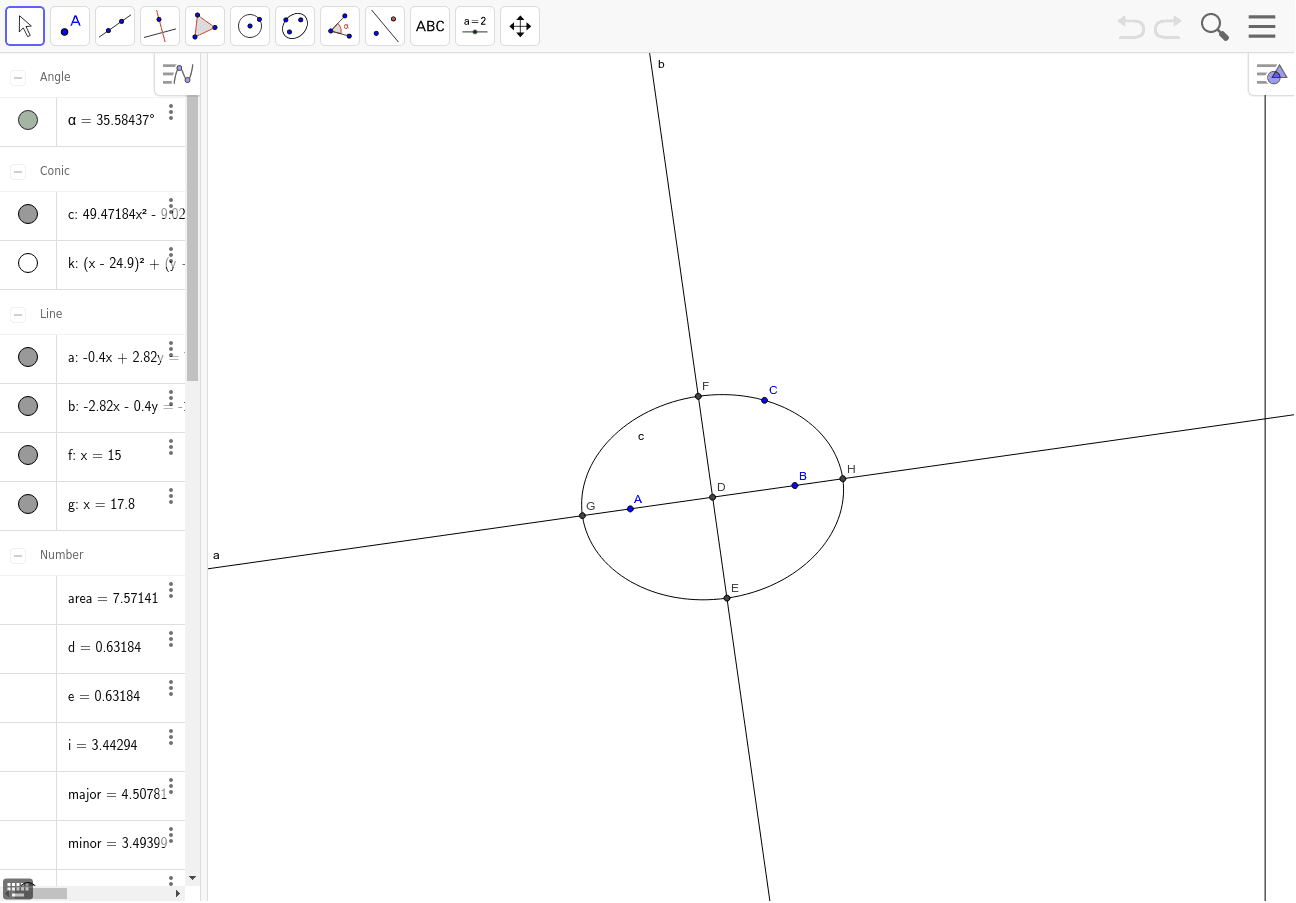
This example demonstrates the section of a right circular cylinder. Key mathematical concepts include cylinder, conic sections, and coordinate geometry. Using GeoGebra commands such as Ellipse, Line, Intersect, etc., the section of a right circular cylinder can be constructed. Suitable for high school mathematics education and learning.
GeoGebra Commands & Parameters
Ellipse(A, B, C) → cLine(A, B) → aMidpoint(A, B) → DOrthogonalLine(D, a) → bIntersect(c, b) → E, FIntersect(c, a) → G, HDistance(G, H) → majorDistance(E, F) → minorEccentricity(c) → dSegment(I, J) → hCircle(I, 3) → kPoint(k) → KVector(I, K) → uAngle(J, I, K) → αPoint(f) → LDistance(L, M) → iSegment(L, M) → j
AI Drawing Prompt Reference
Draw a section of a right circular cylinder. The section includes an ellipse and two lines. The ellipse represents the cross-section of the cylinder, and the lines are the axis. The lines intersect the ellipse at two points. The center of the ellipse is the center of the cylinder. Ensure the drawing is clear and proportions are correct.
The prompt above was compiled from the original drawing commands and is for reference only.