
Cylinder Intersected by Plane with Given Normal Vector
Loading the math board and drawing, please wait…
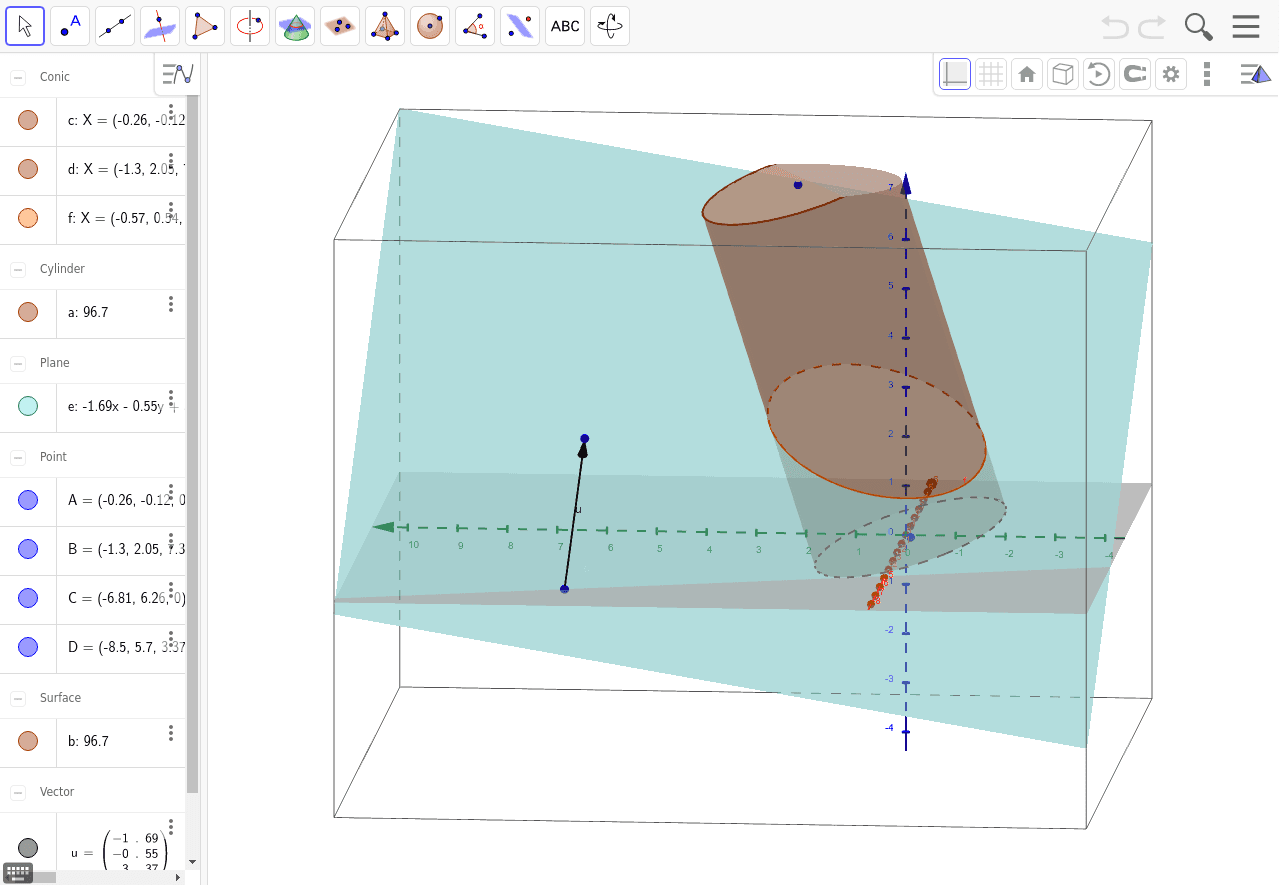
This example demonstrates the geometric shape formed by the intersection of a cylinder and a plane with a given normal vector. Key math concepts include solid geometry, vectors, plane equations, and intersection operations. Construction highlights the use of GeoGebra commands: Cylinder, Vector, OrthogonalPlane, IntersectPath, and Corner. Suitable for high school solid geometry teaching, university mathematics foundation courses, and geometric visualization demonstrations.
GeoGebra Commands & Parameters
Cylinder(A, B, 2) → a, c, d, bVector(C, D) → uOrthogonalPlane(C, u) → eIntersectPath(e, a) → fCorner(f)
AI Drawing Prompt Reference
Draw a cylinder, then a vector through a point, and use it as a normal to create a plane. Finally, find the intersection of the cylinder with the plane and highlight the vertices of the intersection curve.
The prompt above was compiled from the original drawing commands and is for reference only.