
Visualizing Similar Cuboids: Surface Area and Volume Scaling
Loading the math board and drawing, please wait…
In collections
Similar Solids
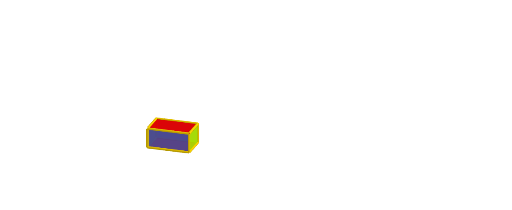
This example demonstrates how two similar 3D cuboids relate: when the cuboid’s linear dimensions are scaled by a factor, its surface area changes with the square of the factor and its volume with the cube of the factor. Key ideas include similarity in solid geometry, the scale factor from a dilation (homothety), and the resulting dimensional scaling laws for area and volume. Construction in GeoGebra uses Polygon to build the base/outline, Prism to create the 3D solids and their faces, and Dilate to generate the scaled cuboid. Segment and Point define measurable edges and reference points, while Vector and Rotate help with spatial placement and orientation. Face objects (e.g., faceABFE, faceBCGF, faceCDHG, faceADHE, faceEFGH) and edge objects (e.g., edgeAE, edgeBF, edgeCG, edgeDH, edgeEF, edgeFG, edgeGH, edgeEH) are used to organize the 3D structure and compare corresponding parts before and after dilation (A, B, C, D, E vs. A', B', C', D', E'). Suitable for upper secondary and early college lessons on solid geometry, similarity, and visualization of scaling relationships.
GeoGebra Commands & Parameters
Polygon(A, B, C, D) → poly1, a, b, c, dPrism(poly1, E) → e, F, edgeBF, edgeCG, edgeDH, edgeEF, edgeFG, edgeGH, edgeEH, G, H, faceABFE, faceBCGF, faceCDHG, faceADHE, faceEFGH, edgeAEDilate(A, k, L) → A'Polygon(A', B', C', D') → poly2, a', b', c', d'Prism(poly2, E') → f, F', edgeB'I, edgeC'J, edgeD'K, edgeE'I, edgeIJ, edgeJK, edgeE'K, G', H', faceA'B'IE', faceB'C'JI, faceC'D'KJ, faceA'D'KE', faceE'IJK, edgeA'E'Segment(I, J) → gPoint(g) → KRotate(faceABFE, (t * 90°), a) → faceABFE'Rotate(faceBCGF, (t * 90°), b) → faceBCGF'Rotate(faceCDHG, (t * 90°), c) → faceCDHG'Rotate(faceADHE, (t * 90°), d) → faceADHE'Rotate(E, (t * 90°), a) → E'_1Rotate(F, (t * 90°), a) → F'_1Rotate(Rotate[faceEFGH, (t * 90°), a], (t * 90°), Segment[E'_1, F'_1]) → poly3Rotate(faceA'B'IE', (t * 90°), a') → faceA'B'IE''Rotate(faceB'C'JI, (t * 90°), b') → faceB'C'JI'Rotate(faceC'D'KJ, (t * 90°), c') → faceC'D'KJ'Rotate(faceA'D'KE', (t * 90°), d') → faceA'D'KE''Rotate(E', (t * 90°), a') → E''Rotate(F', (t * 90°), a') → F''Rotate(Rotate[faceE'IJK, (t * 90°), a'], (t * 90°), Segment[E'', F'']) → poly4Rotate(Segment[Midpoint[B', C'], Midpoint[F', G']], (t * 90°), b') → jRotate(Segment[Midpoint[B', F'], Midpoint[C', G']], (t * 90°), b') → iRotate(Segment[Midpoint[A', B'], Midpoint[E', F']], (t * 90°), a') → mRotate(Segment[Midpoint[A', E'], Midpoint[B', F']], (t * 90°), a') → nRotate(Segment[Midpoint[C', D'], Midpoint[G', H']], (t * 90°), c') → pRotate(Segment[Midpoint[C', G'], Midpoint[D', H']], (t * 90°), c') → qRotate(Segment[Midpoint[A', E'], Midpoint[D', H']], (t * 90°), d') → rRotate(Segment[Midpoint[A', D'], Midpoint[E', H']], (t * 90°), d') → sRotate(Rotate[Segment[Midpoint[E', F'], Midpoint[G', H']], (t * 90°), a'], (t * 90°), Segment[E'', F'']) → a_1Rotate(Rotate[Segment[Midpoint[E', H'], Midpoint[G', F']], (t * 90°), a'], (t * 90°), Segment[E'', F'']) → b_1Segment(Midpoint[A', B'], Midpoint[C', D']) → c_1Segment(Midpoint[A', D'], Midpoint[C', B']) → d_1Segment(Midpoint[F', C'], Midpoint[E', D']) → e_1Segment(Midpoint[F', A'], Midpoint[C', H']) → f_1Segment(L, E) → g_1Segment(L, H) → i_1Segment(L, F) → k_1Segment(L, G) → m_1Segment(H, H') → j_1Segment(G, G') → n_1Segment(E, E') → h_1Segment(F, F') → l_1Segment(L, A) → p_1Segment(A, A') → q_1Segment(L, B) → r_1Segment(B, B') → s_1Segment(L, C) → t_1Segment(C, C') → a_2Segment(L, D) → b_2Segment(D, D') → c_2Vector(E' + (0, 0, 0.3), E' + (0, 0, 1.3)) → uSegment(Midpoint[A', C'], Midpoint[E', G']) → d_2
AI Drawing Prompt Reference
Draw two similar cuboids, where one cuboid's edge lengths are k times those of the other. First, draw a cuboid with base ABCD and add vertex E. Then, dilate point A along line L by a factor of k to get A', and use A' as the base to draw another cuboid. Next, rotate the base quadrilateral around A' to generate the rotated faces. Finally, rotate edge AE around A' to generate the rotated edge and connect the corresponding vertices to form the new cuboid.
The prompt above was compiled from the original drawing commands and is for reference only.