
Geometric Visualization of Comparing Two Values by Percent
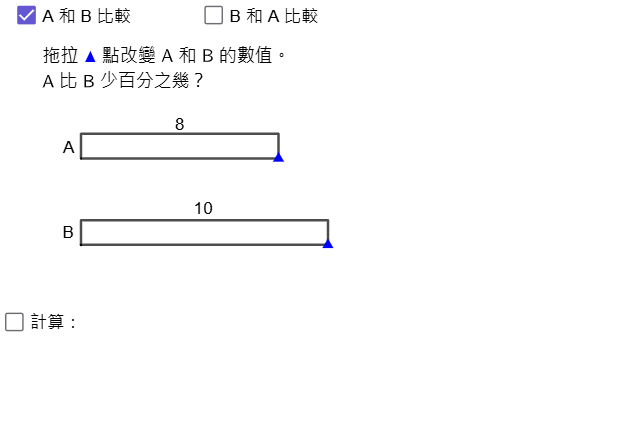
Loading the math board and drawing, please wait…
This example demonstrates a visual, geometry-based way to compare two numerical values using percentages (relative differences). It makes the percentage relationship intuitive by mapping ratio and deviation into constructed segments and labeled geometric elements. The key math ideas include percentages as proportions relative to a baseline, ratio/difference representation, and fraction simplification supported by number theory (e.g., computing GCD to reduce numerator/denominator). Construction highlights in GeoGebra: Point, Segment, and Polygon/PolyLine to build the base/reference structure; Sequence to generate points for steps or sampled parameters; If together with Div and Mod to handle conditional logic and integer/quotient–remainder computations; and GCD to simplify the resulting fractional ratio into a clean percentage form. Mirror and text objects (text*) are used for symmetry and to display the computed results clearly. Suitable for middle school math lessons on percent and ratio applications, as well as interactive classroom exploration.
GeoGebra Commands & Parameters
Point(Sequence[A + (i, 0), i, 1, 24]) → PPoint(Sequence[B + (i, 0), i, 1, 24]) → QGCD(num1 - num2, If[a, num2, num1]) → hcfPolygon({A, P, P + (0, 1), A + (0, 1)}) → q1Polygon({B, Q, Q + (0, 1), B + (0, 1)}) → q2Sequence(Translate[pic1, Vector[A + (i - 1, 0)]], i, 1, num1) → l1Sequence(Translate[pic2, Vector[B + (i - 1, 0)]], i, 1, num2) → l2Polygon({P, (x(Q), y(P)), (x(Q), y(P) + 1), P + (0, 1)}) → q3Polygon({Q, Q + (x(P) - x(Q), 0), Q + (x(P) - x(Q), 1), Q + (0, 1)}) → q4PolyLine(C + (0, 0.3), C + (0, 0.5), ((x(C) + x(D)) / 2, y(C) + 0.5), ((x(C) + x(D)) / 2, y(C) + 0.7), ((x(C) + x(D)) / 2, y(C) + 0.5), D + (0, 0.5), D + (0, 0.3)) → fMirror(f, y = y(A) + 0.5) → f'Segment(Q + (0, 1), If[x(P) < x(Q), D - (0, 1), C - (0, 1)]) → gPolyLine(E + (0, 0.3), E + (0, 0.5), ((x(E) + x(F)) / 2, y(E) + 0.5), ((x(E) + x(F)) / 2, y(E) + 0.7), ((x(E) + x(F)) / 2, y(E) + 0.5), F + (0, 0.5), F + (0, 0.3)) → iMirror(i, y = y(B) + 0.5) → i'If(hcf > 1 ∨ abs(num1 - num2) ≥ If[a, num2, num1], true, false) → simplifyDiv(abs(num1 - num2), If[a, num2, num1]) → ainteger_1Mod(abs(num1 - num2) / hcf, If[a, num2, num1] / hcf) → anumeratorPolyLine(B - (0, 0.3), B - (0, 0.5), ((x(B) + x(Q)) / 2, y(Q) - 0.5), ((x(B) + x(Q)) / 2, y(B) - 0.7), ((x(B) + x(Q)) / 2, y(B) - 0.5), Q - (0, 0.5), Q - (0, 0.3)) → hPolyLine(A - (0, 0.3), A - (0, 0.5), ((x(A) + x(P)) / 2, y(P) - 0.5), ((x(A) + x(P)) / 2, y(A) - 0.7), ((x(A) + x(P)) / 2, y(A) - 0.5), P - (0, 0.5), P - (0, 0.3)) → j
AI Drawing Prompt Reference
Create a geometric visualization to compare two numerical values using percentages to show relative differences. Start by constructing two base rectangles, then extend them proportionally according to the values for comparison. Use mirrored lines and segments to connect key points, highlighting symmetry and ratio relationships. Finally, display the simplified percentage results with distinct colors or styles to make the overall structure clear and easy to understand.
The prompt above was compiled from the original drawing commands and is for reference only.