
Pizza Fractions: Are They Equal? Visual Repartition of 4/8 vs 1/2 and 3/4 vs 6/8
Loading the math board and drawing, please wait…
In collections
Bruchzahlen: Erweitern und Kürzen
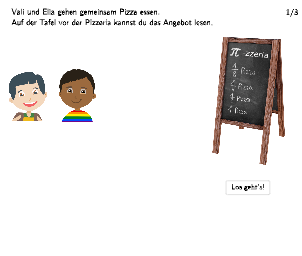
This GeoGebra example uses an interactive pizza-splitting and dragging visualization to help students see why different fractions can represent the same amount (e.g., 4/8 equals 1/2, and 3/4 equals 6/8). Learners are prompted to equally redistribute the pizza pieces and justify the equivalence by matching areas/quantities through re-partitioning. Key math concepts include fraction equivalence, simplifying/extending fractions (and interpreting what a fraction of a whole means), and reasoning about equal quantities using visual “cut-and-recombine” strategies. The construction emphasizes interactive geometry building blocks: creating pizza slices as polygonal regions (Polygon) with boundary segments and points (Segment, Point), adding guided prompts with speech bubbles (SpeechBubbleLeft, SpeechBubbleRight), using conditional logic to manage the scenario (If), driving the animation/behavior with slider-like animated values and control objects (ZiehMich*, animVal*, anmEli* / anmVal* such as ZiehMich4, animValPizza2_*, etc.), and displaying current fraction/amount information via text labels (text1, anmVal). Suitable for grades 5–6, especially for developing number sense, understanding fraction operations, and classroom open-response discussion.
GeoGebra Commands & Parameters
Segment((-13.92, -1.6), (-1.42, -1.6)) → animValPizza2_4Segment((-13.82, -1.62), (-1.32, -1.62)) → animValPizza2_3Segment((-13.76, -1.62), (-1.26, -1.62)) → animValPizza2_2Segment((17.5, -1.74), (5, -1.74)) → anmEliPizza1_4Segment((17.52, -1.68), (5.02, -1.68)) → anmEliPizza1_3Segment((17.48, -1.65), (4.98, -1.65)) → anmEliPizza1_2Segment((17.52, -1.81), (5.02, -1.81)) → anmEliPizza1_1Segment((-13.8, -1.74), (-1.3, -1.74)) → anmValPizza1Segment((-17, -3), (-4.5, -3)) → anmValPoint(anmVal) → SchaufelLinksPunktSegment((23.5, -2.6), (11, -2.6)) → anmEliPoint(anmEli) → SchaufelRechtsPunktSpeechBubbleLeft(M, 7, 0.8) → polyValiSpeechBubbleRight(N, 6.8, 0.8) → polyEliaPoint(anmValPizza1) → Champ1Anim1Point(anmEliPizza1_1) → Cap1Anim1_1Point(anmEliPizza1_2) → Cap1Anim2_1Point(anmEliPizza1_3) → Cap1Anim3_1Point(anmEliPizza1_4) → Cap1Anim4_1Polygon(Box3LeftTop, Box3RightTop, Box3RightBottom, Box3LeftBottom) → box3, q, r, s, tIf(bothTrue, true, false) → correctPolygon(Box3LeftTop_{1}, Box3RightTop_{1}, Box3RightBottom_{1}, Box3LeftBottom_{1}) → box2, q_{1}, r_{1}, s_{1}, t_{1}Polygon(Box3LeftTop_{2}, Box3RightTop_{2}, Box3RightBottom_{2}, Box3LeftBottom_{2}) → box1, q_{2}, r_{2}, s_{2}, t_{2}Point(animValPizza2_4) → Champ2Anim4_1Point(animValPizza2_2) → Champ2Anim2_1Point(animValPizza2_3) → Champ2Anim3_1Segment((-13.84, -1.74), (-1.34, -1.74)) → animValPizza2_1Point(animValPizza2_1) → Champ2Anim1_1Point(anmEliPizza1_1) → Cap2Anim1_{1}Point(anmEliPizza1_1) → Cap3Anim1_1
AI Drawing Prompt Reference
Draw a pizza with two parts: the left part and the right part. The left part consists of four movable slices, and the right part consists of four movable slices. The size of the slices can be adjusted using sliders. The relationship between the slices can be understood by matching areas/quantities. Please redistribute the slices to make the areas/quantities of the two parts equal.
The prompt above was compiled from the original drawing commands and is for reference only.