
Polygon Names and Classification Demo
Loading the math board and drawing, please wait…
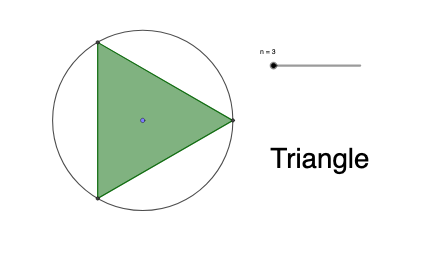
This GeoGebra example demonstrates regular polygons from triangles to decagons with their proper mathematical names. Key mathematical concepts covered include: polygon definitions, naming conventions based on number of sides (triangle, quadrilateral, pentagon... decagon), and properties of regular polygons including symmetry. Construction details from the summary: Point command creates vertices, Circle command draws reference circles, Intersect command finds intersections, Rotate command generates regular figures at fixed angles, and Polygon command connects vertices to form complete polygons. Suitable for upper elementary to early middle school students learning basic geometric shapes and understanding polygon classification rules. Can also serve as an intuitive teaching tool for introducing the polygon interior angle formula (n-2)×180°.
GeoGebra Commands & Parameters
Point(yAxis) → ACircle(A, 1) → cIntersect(c, xAxis, 2) → BRotate(B, (2 * π / n), A) → B'Polygon(B, B', n) → poly1, f, q, C, D, E, F, G, H, I, J, g, h, i, j, k, l, m, p
AI Drawing Prompt Reference
Draw a regular polygon from a triangle to a decagon. Key objects include vertices, reference circles, and intersection points. The construction order is to create vertices, draw circles, find intersections, rotate, and connect vertices to form the polygon. Ensure the shape is symmetric and clear for teaching.
The prompt above was compiled from the original drawing commands and is for reference only.