
P6 Symmetry Appreciation: Exploring Symmetrical Figures
Loading the math board and drawing, please wait…
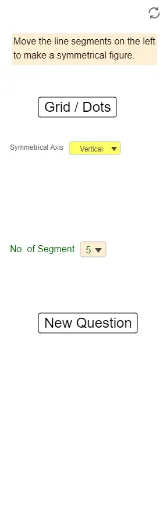
① This GeoGebra example dynamically presents a collection of symmetrical figures, allowing learners to visually appreciate and understand the characteristics and beauty of axial symmetry. ② Core mathematical concepts include axial symmetry, axes of symmetry, mirror transformations of shapes, and constructing complex patterns through symmetric operations. ③ Construction highlights: The example uses the Mirror command to create symmetric copies of base figures, combined with Sequence and Segment to generate symmetric elements, while IndexOf and Element manage object lists; buttons (buttonGridDot, buttonNewQ) control display and random generation of new questions, involving objects such as ListSymA, Red1~Red5 and their mirrored counterparts RefRed, enabling interactive exploration. ④ Suitable for upper primary (e.g., P6) or lower secondary students, this resource serves introductory geometry teaching, intuitive understanding of symmetry, and can be used as a math activity or fun exercise to foster spatial reasoning and aesthetic appreciation of shapes.
GeoGebra Commands & Parameters
IndexOf(SelectedElement[ListSymA], ListSymA) → NumSymAElement({SymA1, SymA2, SymA3, SymA4}, NumSymA) → SymASegment(Red1a, Red1b) → Red1Segment(Red2a, Red2b) → Red2Segment(Red3a, Red3b) → Red3Segment(Red4a, Red4b) → Red4Sequence(Sequence[(s, t), s, -14, 12], t, -8, 8) → ListDotsIndexOf(SelectedElement[ListNumSeg], ListNumSeg) → NumSegSegment(Red5a, Red5b) → Red5Mirror(Red1a, SymA) → Red1a'Mirror(Red1b, SymA) → Red1b'Segment(Red1a', Red1b') → RefRed1Mirror(Red2a, SymA) → Red2a'Mirror(Red2b, SymA) → Red2b'Segment(Red2a', Red2b') → RefRed2Mirror(Red3a, SymA) → Red3a'Mirror(Red3b, SymA) → Red3b'Segment(Red3a', Red3b') → RefRed3Mirror(Red4a, SymA) → Red4a'Mirror(Red4b, SymA) → Red4b'Segment(Red4a', Red4b') → RefRed4Mirror(Red5a, SymA) → Red5a'Mirror(Red5b, SymA) → Red5b'Segment(Red5a', Red5b') → RefRed5