
Math'art: Arrangement of Polygons (Rotation and Homothety)
Loading the math board and drawing, please wait…
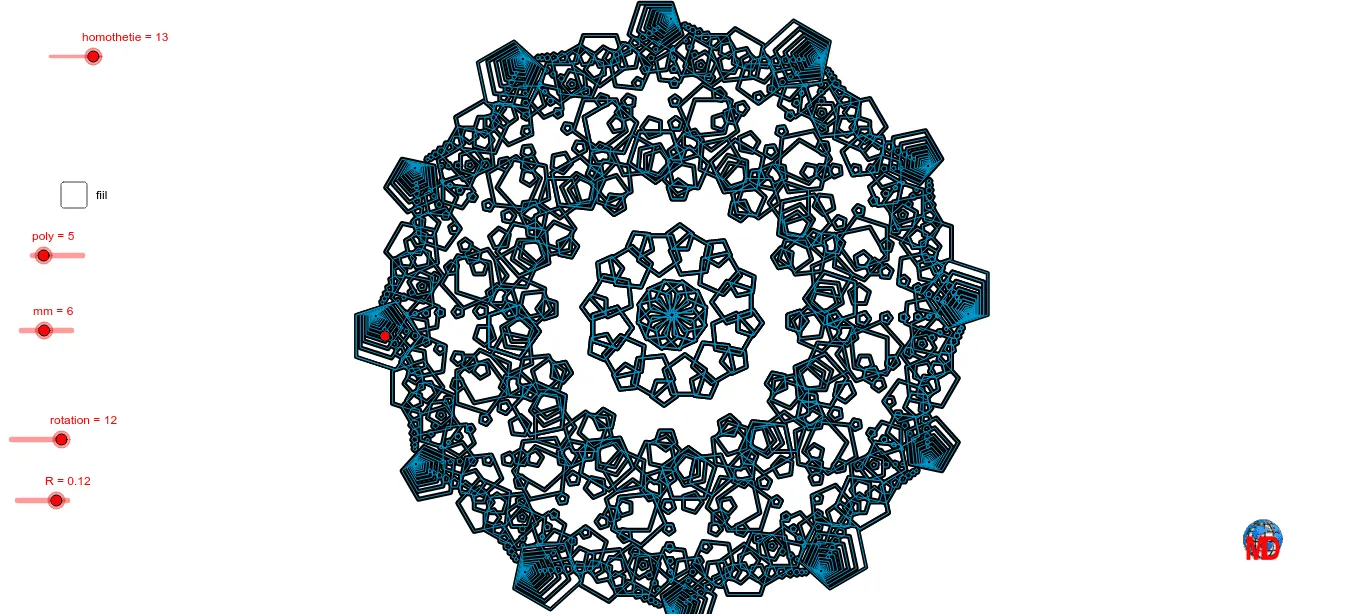
① This example demonstrates how multiple polygons are arranged through rotation and homothety (scaling) transformations, creating a visually appealing mathematical art pattern that highlights the combined effects of geometric transformations. ② Core mathematical concepts include rotation, homothety (similarity transformation with dilation), reflection, midpoints, circles, and sequence-driven batch generation. ③ Construction highlights: using GeoGebra commands such as Sequence, Polygon, Mirror, Circle, Rotate, Midpoint, and If, along with sliders (e.g., k, r, a) to control rotation angles and scaling factors, resulting in nested lists (liste1, liste2, etc.) of transformed polygons. ④ Suitable for middle/high school geometry lessons, mathematical art projects, or introductory computational design, helping learners grasp the essence of transformations and parametric construction.
GeoGebra Commands & Parameters
Sequence(Rotate[E, ((i * 2) * aa), D], i, 0, poly) → liste4Polygon(liste4) → poly1Mirror(B, C) → B'Circle(A, B) → cRotate(E, a, D) → E'Sequence(Rotate[E', ((i * 2) * aa), D], i, 0, poly) → liste5Sequence(Polygon[D, Element[liste4, i], Element[liste5, i]], i, 1, Length[liste4]) → liste6Midpoint(E, F) → GSequence(Rotate[poly1, i, A], i, 0, 6.28319, (2 * π / mm)) → liste9If(e, 0, 1) → mm_1Sequence(Sequence[Dilate[Element[liste9, i], k^(j / 2), B], j, 1, homothetie - 1], i, 1, homothetie) → liste10Sequence(Rotate[liste10, i, A], i, 0, 6.283185307179586, (2 * π / rotation)) → liste11Sequence(Rotate[liste10, i, A], i, 0, 6.28319, (2 * π / rotation)) → liste1Sequence(Rotate[poly1, i, A], i, 0, 6.28319, (2 * π / mm)) → liste2