
Open Middle: Surface Area and Percent (Rectangular Prism)
Loading the math board and drawing, please wait…
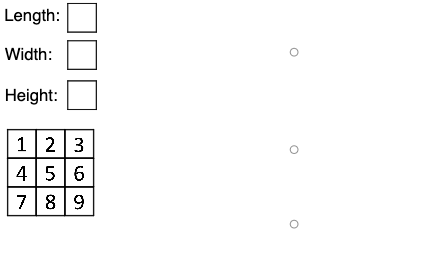
This example demonstrates an open-middle exploration of how surface area of a rectangular prism can be interpreted using percentages and ratios. Students study how changes in a prism’s dimensions or in selected faces translate into “part-to-whole” relationships expressed as percent. Key concepts include solid geometry (surface area of a rectangular prism), ratio and percent interpretation, and reasoning from geometric measures to quantitative comparisons. Construction highlights: GeoGebra’s Polygon and Segment are used to build the face boundaries of the 3D model; multiple polygon objects (e.g., poly0, poly3, poly7) represent different faces; segment-defined point connections (e.g., K_1, A0, A1, …, plus auxiliary points such as B, C, H, P, E, G) define the vertices and edges that determine the geometry; additional diagram/point objects (e.g., pic1–pic9, A2–A9) support precise placement and interactive relationships. Suitable for middle to high school mathematics classes focusing on surface area, proportional reasoning, and percent-based interpretation, as well as classroom inquiry or practice tasks.
GeoGebra Commands & Parameters
Polygon(A0, B, 4) → poly0, f, g, h, i, A, CPolygon(A3, H, 4) → poly3, j, k, l, m, E, GPolygon(A7, P, 4) → poly7, n, p, q, r, I, KPolygon(A1, D, 4) → poly1, s, t, a, b, M, OPolygon(A6, N, 4) → poly6, c, d, e, f_1, Q, SPolygon(A2, K_1, 4) → poly2, k_1, l_1, m_1, n_1, W, ZPolygon(A8, A8 + (2, 0), 4) → poly8, g_1, h_1, i_1, j_1, U, VPolygon(A9, T, 4) → poly9, p_1, q_1, r_1, s_1, A_1, B_1Polygon(A4, J, 4) → poly4, t_1, a_1, b_1, c_1, C_1, D_1Polygon(A5, L, 4) → poly5, d_1, e_1, f_2, g_2, E_1, F_1Polygon(G_1, H_1, 4) → poly10, h_2, i_2, j_2, k_2, I_1, J_1Polygon(G_2, H_2, 4) → poly11, h_3, i_3, j_3, k_3, I_2, J_2Polygon(G_3, H_3, 4) → poly12, h_4, i_4, j_4, k_4, I_3, J_3Polygon(G_4, H_4, 4) → poly13, h_5, i_5, j_5, k_5, I_4, J_4Polygon(G_5, H_5, 4) → poly14, h_6, i_6, j_6, k_6, I_5, J_5Polygon(G_6, H_6, 4) → poly15, h_7, i_7, j_7, k_7, I_6, J_6Polygon(G_7, H_7, 4) → poly16, h_8, i_8, j_8, k_8, I_7, J_7Polygon(G_8, H_8, 4) → poly17, h_9, i_9, j_9, k_9, I_8, J_8Polygon(G_9, H_9, 4) → poly18, h_{10}, i_{10}, j_{10}, k_{10}, I_9, J_9Polygon(G_{10}, H_{10}, 4) → poly19, h_{11}, i_{11}, j_{11}, k_{11}, I_{10}, J_{10}Polygon(Q_1, R_1, S_1, T_1) → q1, l_2, m_2, n_2, p_2Segment(Q_1, R_1) → q_2Segment(R_1, S_1) → r_2Segment(S_1, T_1) → s_2Segment(T_1, Q_1) → t_2Polygon(U_1, V_1, W_1, Z_1) → q2, u_1, v_1, w_1, z_1Segment(U_1, V_1) → a_2Segment(V_1, W_1) → b_2Segment(W_1, Z_1) → c_2Segment(Z_1, U_1) → d_2Polygon(A_2, B_2, C_2, D_2) → q3, e_2, f_3, g_3, l_3Segment(A_2, B_2) → m_3Segment(B_2, C_2) → n_3Segment(C_2, D_2) → p_3Segment(D_2, A_2) → q_3
AI Drawing Prompt Reference
Draw a 3D perspective model of a rectangular prism using several quadrilateral faces. First set up a consistent set of corner points for the prism, then connect appropriate groups of four points to form multiple closed quadrilateral polygons, each representing a different face of the prism (visible sides and additional faces). Ensure the edges between neighboring corners are represented so the prism’s face boundaries match across adjacent polygons. Finally, include additional quadrilateral face outlines in an auxiliary placement and connect their neighboring corner points with straight segments to form complete, closed face regions, producing a clear prism surface partition suitable for surface-area ratio or percent reasoning.
The prompt above was compiled from the original drawing commands and is for reference only.