
Open Middle: Surface Area and Percent for Rectangular Prisms
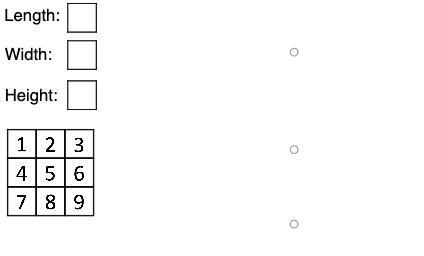
Loading the math board and drawing, please wait…
This Open Middle example guides learners to reason about and compute the surface area of a rectangular prism, then connect the numerical result to percentages (or ratios). The key mathematical ideas are solid-geometry surface area, proportional/percent conversions from area-like quantities, and conditional reasoning implemented via piecewise logic. Construction uses GeoGebra commands Polygon and Segment to build the prism’s faces and edges, and If to switch or activate expressions/logic under different conditions. The model is organized with polygon objects (e.g., poly0, poly3, poly7) and geometric points/segments (e.g., K_1, A0–A9, B, C, H, P, E, G) alongside variable/function handles (e.g., f, g, h, i, j, k, l, m, n) that represent the surface-area and percent relationships. Suitable for middle/high school solid geometry lessons, inquiry-based classrooms, and differentiated practice.
GeoGebra Commands & Parameters
Polygon(A0, B, 4) → poly0, f, g, h, i, A, CPolygon(A3, H, 4) → poly3, j, k, l, m, E, GPolygon(A7, P, 4) → poly7, n, p, q, r, I, KPolygon(A1, D, 4) → poly1, s, t, a, b, M, OPolygon(A6, N, 4) → poly6, c, d, e, f_1, Q, SPolygon(A2, K_1, 4) → poly2, k_1, l_1, m_1, n_1, W, ZPolygon(A8, A8 + (2, 0), 4) → poly8, g_1, h_1, i_1, j_1, U, VPolygon(A9, T, 4) → poly9, p_1, q_1, r_1, s_1, A_1, B_1Polygon(A4, J, 4) → poly4, t_1, a_1, b_1, c_1, C_1, D_1Polygon(A5, L, 4) → poly5, d_1, e_1, f_2, g_2, E_1, F_1Polygon(G_1, H_1, 4) → poly10, h_2, i_2, j_2, k_2, I_1, J_1Polygon(G_2, H_2, 4) → poly11, h_3, i_3, j_3, k_3, I_2, J_2Polygon(G_3, H_3, 4) → poly12, h_4, i_4, j_4, k_4, I_3, J_3Polygon(G_4, H_4, 4) → poly13, h_5, i_5, j_5, k_5, I_4, J_4Polygon(G_5, H_5, 4) → poly14, h_6, i_6, j_6, k_6, I_5, J_5Polygon(G_6, H_6, 4) → poly15, h_7, i_7, j_7, k_7, I_6, J_6Polygon(G_7, H_7, 4) → poly16, h_8, i_8, j_8, k_8, I_7, J_7Polygon(G_8, H_8, 4) → poly17, h_9, i_9, j_9, k_9, I_8, J_8Polygon(G_9, H_9, 4) → poly18, h_{10}, i_{10}, j_{10}, k_{10}, I_9, J_9Polygon(G_{10}, H_{10}, 4) → poly19, h_{11}, i_{11}, j_{11}, k_{11}, I_{10}, J_{10}Polygon(Q_1, R_1, S_1, T_1) → q1, l_2, m_2, n_2, p_2Segment(Q_1, R_1) → q_2Segment(R_1, S_1) → r_2Segment(S_1, T_1) → s_2Segment(T_1, Q_1) → t_2Polygon(U_1, V_1, W_1, Z_1) → q2, u_1, v_1, w_1, z_1Segment(U_1, V_1) → a_2Segment(V_1, W_1) → b_2Segment(W_1, Z_1) → c_2Segment(Z_1, U_1) → d_2Polygon(A_2, B_2, C_2, D_2) → q3, e_2, f_3, g_3, l_3Segment(A_2, B_2) → m_3Segment(B_2, C_2) → n_3Segment(C_2, D_2) → p_3Segment(D_2, A_2) → q_3If(c1 ≟ true, "true", "false") → text8If(c2 ≟ true, "true", "false") → text9If(c3 ≟ true, "true", "false") → text10
AI Drawing Prompt Reference
Create a 3D rectangular prism net composed of multiple colored rectangular faces, each labeled with its area. Surround the prism with several small square grids representing percentages or ratios. The layout should clearly show the surface area calculation of the six faces and the conversion between area and percentage. Include multiple rectangles and line segments forming the solid geometry model, with conditional text labels displaying 'true' or 'false' to reflect logical relationships.
The prompt above was compiled from the original drawing commands and is for reference only.