
Normal Vector to a Surface
Loading the math board and drawing, please wait…
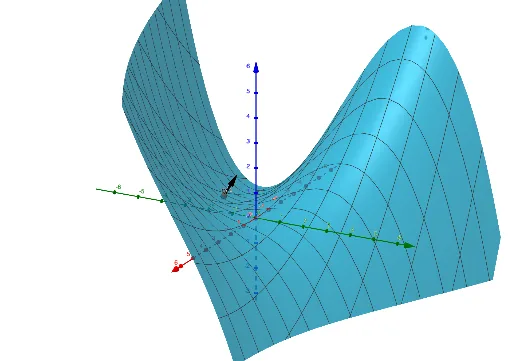
This example demonstrates how to construct and visualize the normal vector at a point on a surface in 3D space, using either parametric or explicit surface equations. The core mathematical concepts involve partial derivatives, gradient vectors, normal vectors, unit normal vectors, and vector operations. Construction highlights: using GeoGebra's Derivative command to compute partial derivatives fx and fy of the surface function f with respect to x and y, then using Vector to create two tangent direction vectors u and v on the tangent plane, and finally applying UnitVector to normalize their cross product to obtain the unit normal vector n. This example is suitable for advanced high school or early university courses in calculus and multivariable functions, serving as an interactive tool to understand local surface geometry and the concept of normal vectors in spatial analytic geometry.
GeoGebra Commands & Parameters
Derivative(f, x) → fxDerivative(f, y) → fyVector(B) → uVector(A, A + B) → vUnitVector(v) → n
AI Drawing Prompt Reference
Draw a 3D surface and its normal vector at a point on the surface. First, compute the partial derivatives of the surface function with respect to x and y at the point. Then, construct two tangent vectors, and finally obtain the normal vector by taking the cross product of these two vectors and normalizing it.
The prompt above was compiled from the original drawing commands and is for reference only.