
Cross Sections of a Cone
Loading the math board and drawing, please wait…
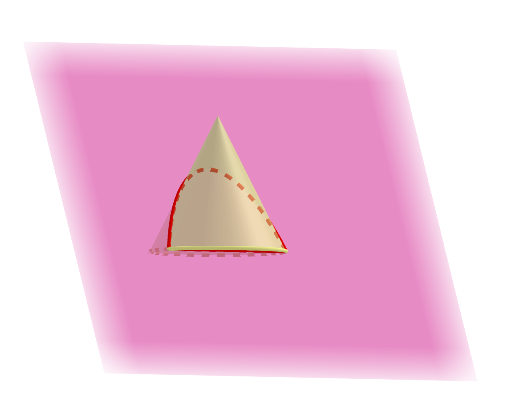
This example demonstrates the geometric shapes formed by cross-sections of a cone through various planes. It involves core math concepts like solid geometry, coordinate geometry, derivatives, and integrals. Constructed using commands such as Point, Cone, and IntersectPath in GeoGebra. Suitable for high school students and math enthusiasts exploring spatial geometry and calculus applications.
GeoGebra Commands & Parameters
Point(zAxis) → DPoint(zAxis) → ECone(E, D, 1) → f, g, hIntersectPath(p, f) → k
AI Drawing Prompt Reference
Draw a cone and observe the geometric shapes formed by its cross-sections through different planes. First, create two points D and E on the z-axis, then draw a cone f with E as the base and D as the apex. Next, intersect a plane p with the cone f to obtain the cross-section k.
The prompt above was compiled from the original drawing commands and is for reference only.