
Net of Hexagonal Prism by Anthony OR 柯志明
Loading the math board and drawing, please wait…
In collections
3D Geometry & Cross Sections
Surface Area & Volume
Surface Area & Volume
Surface Area and Volume
Nets of Solid Figures (Primary 6)
Nets of 3D Figures 立體圖形的摺紙圖樣
Nets of Solids
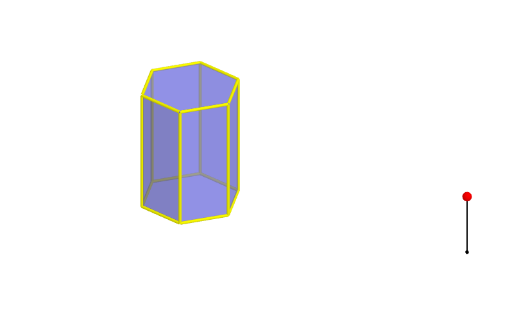
This example demonstrates the net of a hexagonal prism, visually showing its surface composed of various polygonal faces. Core math concepts include polygons, solid geometry, volume calculation, and geometric transformations. Construction highlights involve GeoGebra commands like Polygon, Prism, Segment, Point, Rotate, and Mirror to build both the prism and its net. Suitable for high school students learning about the unfolding and reconstruction of solid geometric figures, as well as teaching volume calculations.
GeoGebra Commands & Parameters
Polygon(A, B, 6, xOyPlane) → poly1, a, F, b, c, d, e, f, C, D, EPrism(poly1, A + (0, 0, 4)) → g, G, faceEFKJ, face2, face3, edge1, edgeBG, edgeCH, edgeDI, edgeEJ, edgeFK, edge2, H, edgeGH, edgeHI, edgeIJ, edgeJK, edge3, I, J, K, face1, faceBCHG, faceCDIH, faceDEJISegment(M, M + (0, 0, 2)) → hPoint(h) → NRotate(Polygon[E, D, I, J], (90° * t), Segment[D, E]) → poly2Rotate(Polygon[G, H, I, J, K, L], (90° * t), Segment[I, J]) → poly3Rotate(poly3, (90° * t), Segment[D, E]) → poly3'Rotate(Polygon[C, D, I, H], (60° * t), Segment[D, I]) → poly4Rotate(poly4, (90° * t), Segment[D, E]) → poly4'Mirror(poly4, OrthogonalPlane[Midpoint[D, E], Segment[D, E]]) → poly4'_1Rotate(poly4'_1, (90° * t), Segment[D, E]) → poly5Rotate(C, (60° * t), Segment[D, I]) → C'Mirror(Polygon[D, E, J, I], OrthogonalPlane[Midpoint[D, C'], Segment[D, C']]) → poly6Mirror(poly6, OrthogonalPlane[Midpoint[D, E], Segment[D, E]]) → poly6'Rotate(poly6, (90° * t), Segment[D, E]) → poly6'_1Rotate(poly6', (90° * t), Segment[D, E]) → poly6''Mirror(E, OrthogonalPlane[Midpoint[D, C'], Segment[D, C']]) → E'Mirror(poly4, OrthogonalPlane[Midpoint[E', C'], Segment[E', C']]) → poly4'_2Rotate(poly4'_2, (90° * t), Segment[D, E]) → poly7Rotate(poly3, (90° * t), Segment[D, E]) → poly3'_1Polygon(A, B, 6, xOyPlane) → poly8, i, R, j, k, l, m, n, O, P, QRotate(poly6', (90° * t), Segment[D, E]) → poly6''_1Rotate(poly4'_1, (90° * t), Segment[D, E]) → poly9Rotate(Polygon[E, D, I, J], (90° * t), Segment[D, E]) → poly10Rotate(poly4, (90° * t), Segment[D, E]) → poly4'_3Rotate(poly6, (90° * t), Segment[D, E]) → poly6'_2Rotate(poly4'_2, (90° * t), Segment[D, E]) → poly11
AI Drawing Prompt Reference
Draw the net of a hexagonal prism, showing its base and lateral faces. The base is a regular hexagon, and the lateral faces are six rectangles. Start by drawing the base hexagon, then extend six rectangular faces upward to connect it with an upper hexagonal base. The upper base is parallel to the lower one. Unfold the lateral faces to lay them flat on a plane, forming the net. Pay attention to the connections and proportions between the parts.
The prompt above was compiled from the original drawing commands and is for reference only.