
Net and Surface Area of Triangular Prism by Trevor Leach
Loading the math board and drawing, please wait…
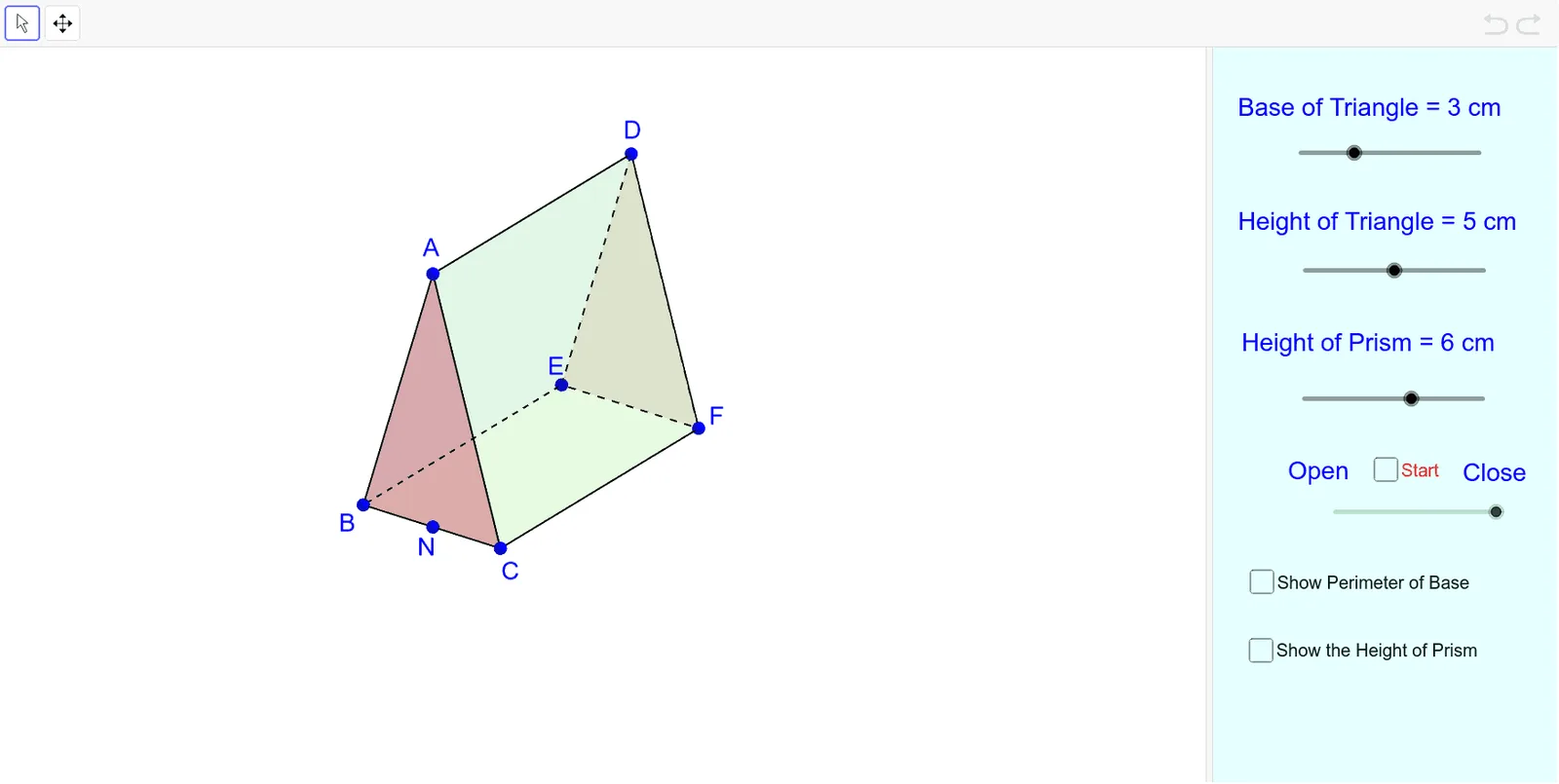
① This GeoGebra example dynamically demonstrates the net and surface area of a triangular prism, allowing learners to visualize how a 3D solid unfolds into a 2D composite of polygons and how the total surface area is the sum of the areas of its faces. ② Core mathematical concepts include the structure of a triangular prism, the construction of its net, the surface area formula (two triangular bases plus three rectangular lateral faces), and the relationship between polygon areas, side lengths, and heights. ③ Construction highlights: Based on the construction summary, the example uses GeoGebra commands such as Segment, Point, Distance, Polygon, Intersect, and Midpoint, creating multiple polygons (poly1 to poly5) and auxiliary points (e.g., H, N, G) to measure edge lengths and heights for area calculations, likely with draggable points or sliders for dynamic adjustment. ④ This resource is suitable for middle school to high school students and teachers studying solid geometry, surface area calculations, or using GeoGebra for geometric modeling, and can be used for classroom demonstrations or independent exploration.
GeoGebra Commands & Parameters
Segment(B, C) → fPoint(f) → N_1Distance(B, N_1) → BNDistance(N_1, B) → NBDistance(N_1, C) → NCPolygon(A, B, E, D) → poly1, a, b_1, e, dPolygon(G, C, F, H) → poly2, g, c, f_1, h_1Polygon(I, B, C) → poly3, c_1, i, b_2Polygon(J, F, E) → poly4, e_1, j, f_2Polygon(B, E, F, C) → poly5, b_3, e_2, f_3, c_2Segment(A, B) → kSegment(B, C) → lSegment(G, C) → mSegment(D, E) → nIntersect(b_1, n) → KSegment(E, F) → pSegment(F, H) → qMidpoint(h_1) → LPolygon(M, N, O, P) → poly6, m_1, n_1, o_1, p_1
AI Drawing Prompt Reference
Draw a net of a triangular prism with its surface area visualization. Start with a 3D triangular prism, then unfold it into a flat composite of two congruent triangular bases and three rectangular lateral faces. Label all edge lengths and the height of the triangles. Show the area of each face and the total surface area, updating dynamically as the shape is resized. Use distinct colors or shading for each face, and include draggable points to adjust dimensions interactively.
The prompt above was compiled from the original drawing commands and is for reference only.