
Squash a Parallelogram: Dynamic Exploration of Shape and Area
Loading the math board and drawing, please wait…
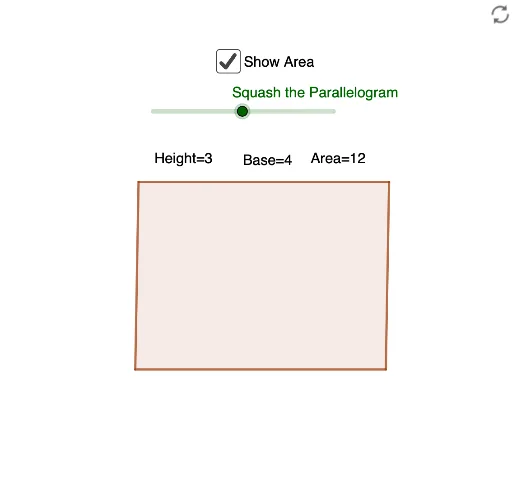
This GeoGebra example dynamically demonstrates how to 'squash' a parallelogram by rotating and constructing polygons, visually revealing how its shape changes while exploring relationships among area, side lengths, and angles. Core mathematical concepts include properties of parallelograms, rotation transformations, invariance of polygon area under certain squashing conditions, and the interdependence of angles and side lengths. Construction highlights: the Rotate command is used to rotate point A to generate B', the Polygon command constructs parallelogram ABCD and auxiliary polygons, a slider α controls the rotation angle, and text objects display real-time measurements. Suitable for middle and high school geometry lessons, this activity helps students understand how transformations affect geometric properties and investigate conditions for area conservation.
GeoGebra Commands & Parameters
Rotate(B, α) → B'Polygon(B', C, D, A) → q1, b', c, d, a_1
AI Drawing Prompt Reference
Draw a parallelogram where one vertex rotates around an adjacent vertex, creating a new quadrilateral. Use a slider to control the rotation angle, which squashes the original parallelogram into a new shape. Display both the original and new quadrilaterals, along with their areas, side lengths, and angles. The two quadrilaterals share some sides, and key angles and side lengths are labeled.
The prompt above was compiled from the original drawing commands and is for reference only.