
Nested and Rotated Cubes
Loading the math board and drawing, please wait…
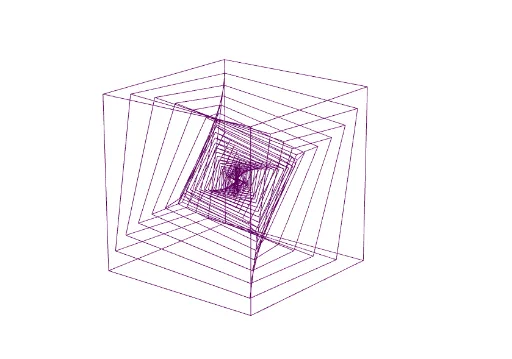
This example demonstrates nested and rotated cubes. It involves the geometric construction of cubes and how to use GeoGebra commands to create complex geometric figures. By adjusting parameters, you can observe the dynamic changes in the cubes. Suitable for high school geometry and solid geometry courses.
GeoGebra Commands & Parameters
Point(Circle[B, Distance[A, B], Segment[A, B]]) → CCube(A, B, C) → a, D, faceCDHG, faceEFGH, edgeAD, edgeAB, edgeBC, edgeCD, edgeAE, edgeDH, edgeEH, edgeEF, E, edgeBF, edgeFG, edgeCG, edgeGH, F, G, H, faceABCD, faceADHE, faceABFE, faceBCGFSequence(Dilate[Rotate[Rotate[Rotate[a, (i * π / 36), yAxis], (i * π / 36), zAxis], (i * π / 36), xAxis], 0.88^(i)], i, 1, 36) → LTake(L, 1, n) → L1