
Mystery Scalar Exploration (Part 1)
Loading the math board and drawing, please wait…
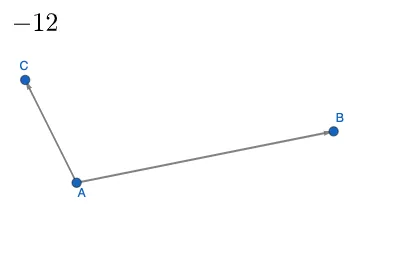
This GeoGebra example presents an exploratory geometric construction involving a 'mystery scalar' that influences the configuration of points, vectors, a prism, and a circumcircle. It demonstrates how scalar multiplication of vectors can alter the positions of points and the resulting shapes, linking planar figures with solid geometry. Core concepts include vector operations, scalar multiplication, and the interplay between 2D and 3D elements. The construction uses the Vector command to define vectors u and v, points A, B, C, and creates a prism, circumcircle, and secant lines, with a text object displaying the scalar value. Suitable for high school or early college students studying vector geometry, it serves as an interactive tool for exploring how changing a scalar parameter affects the entire geometric configuration, fostering intuition about linear transformations and geometric dependencies.
GeoGebra Commands & Parameters
Vector(A, B) → uVector(A, C) → v
AI Drawing Prompt Reference
Create a 3D geometric scene with two vectors sharing a common origin, one pointing up-right and the other up-left, with different lengths. Use these vectors as adjacent edges to form a parallelogram, then extrude it into a prism. Circumscribe a circle around the base triangle of the prism, passing through its three vertices. Add a secant line cutting through the prism. Display a numeric slider label in the corner that controls the scalar multiplier for the vectors, dynamically altering the entire configuration. The scene should illustrate the interplay between vector scaling and solid geometry.
The prompt above was compiled from the original drawing commands and is for reference only.