
Multiplication of Integers and Geometric Construction
Loading the math board and drawing, please wait…
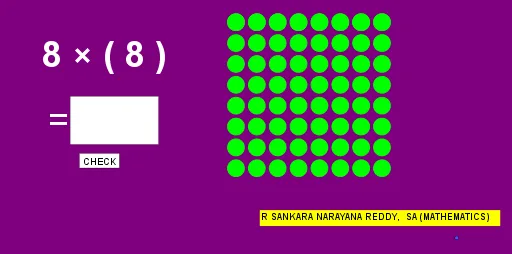
This example demonstrates the geometric representation of integer multiplication, involving key mathematical concepts such as integer arithmetic, coordinate geometry, and geometric construction. The construction uses GeoGebra commands like Random, If, Sequence, Point, Vector, etc. It is suitable for middle school or high school students to learn about integer multiplication combined with geometric applications.
GeoGebra Commands & Parameters
Random(-9, 9) → aRandom(-9, 9) → bIf(a < 0, (-a), a) → rIf(b < 0, (-b), b) → cSequence(Circle[(1, 9) + (i, 0), 0.4], i, 0, c - 1) → l1Point(yAxis) → APoint(yAxis) → BVector(A, B) → uSequence(Vector[A, (0, 9) + (0, (-i))], i, 0, r) → l2Sequence(Translate[l1, Vector[Element[l2, i]]], i, 1, d) → l3Textfield(text3) → InputBox1If(text3 ≟ text4, pic1, pic2) → pic3
AI Drawing Prompt Reference
In a Cartesian coordinate plane, create a geometric construction that visualizes integer multiplication using two randomly chosen integers to control the process. Generate a sequence of small circular arcs based on circles translated horizontally starting from a point near (1,9) along the x direction, with the number of arcs determined by the absolute value of one integer. Mark two points on the y-axis, form a displacement vector from the first to the second, and then translate the arc sequence repeatedly along this vector to build a chain whose length depends on the absolute value of the other integer. If an integer is negative, reverse the translation direction accordingly, so the overall arrangement reflects the sign of the product. Include a text input area to support switching between two display cases.
The prompt above was compiled from the original drawing commands and is for reference only.