
Exploring Types of Quadrilaterals
Loading the math board and drawing, please wait…
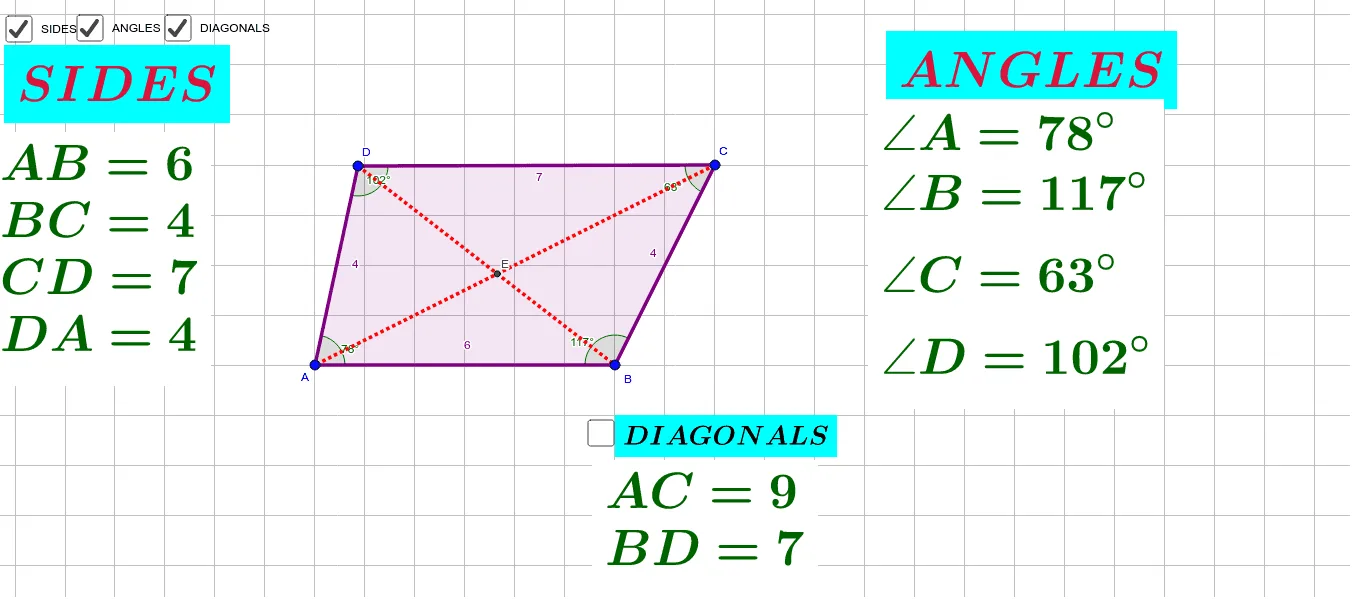
This example demonstrates how to explore different types of quadrilaterals using GeoGebra, including parallelograms, rectangles, rhombuses, and trapezoids. Key math concepts involved are the definitions of quadrilaterals, sum of interior angles, properties of parallel and equal opposite sides, and diagonals. Construction highlights include using Polygon to draw quadrilaterals, Angle to measure interior angles, Segment to create sides, Intersect to find intersection points, Distance to calculate side lengths, Perimeter to find the perimeter, and PointIn to check if a point lies on the shape. Suitable for middle school and above students for geometry learning and exploration.
GeoGebra Commands & Parameters
Polygon(A, D, C, B) → poly1, a, b, c, dAngle(C, B, A) → αAngle(B, A, D) → βAngle(A, D, C) → γAngle(D, C, B) → δSegment(D, B) → fSegment(C, A) → gIntersect(f, g) → EDistance(D, E) → distanceDEDistance(B, E) → distanceBEDistance(C, E) → distanceCEDistance(A, E) → distanceAEDistance(E, C) → distanceECDistance(E, B) → distanceEBPerimeter(poly1) → perimeterpoly1PointIn(poly1) → Pointpoly1_1Perimeter(poly1) → ePointIn(poly1) → Pointpoly1_2Perimeter(poly1) → hPointIn(poly1) → Pointpoly1_3Perimeter(poly1) → iPointIn(poly1) → Pointpoly1Angle(C, E, D) → ε
AI Drawing Prompt Reference
Draw a quadrilateral ABCD, connect the diagonals AC and BD to find their intersection point E. Measure and record the degree of each interior angle, calculate the length of each side, determine the perimeter of the quadrilateral, and check if point F is inside the quadrilateral.
The prompt above was compiled from the original drawing commands and is for reference only.