
MOVISTAR Logo Construction
Loading the math board and drawing, please wait…
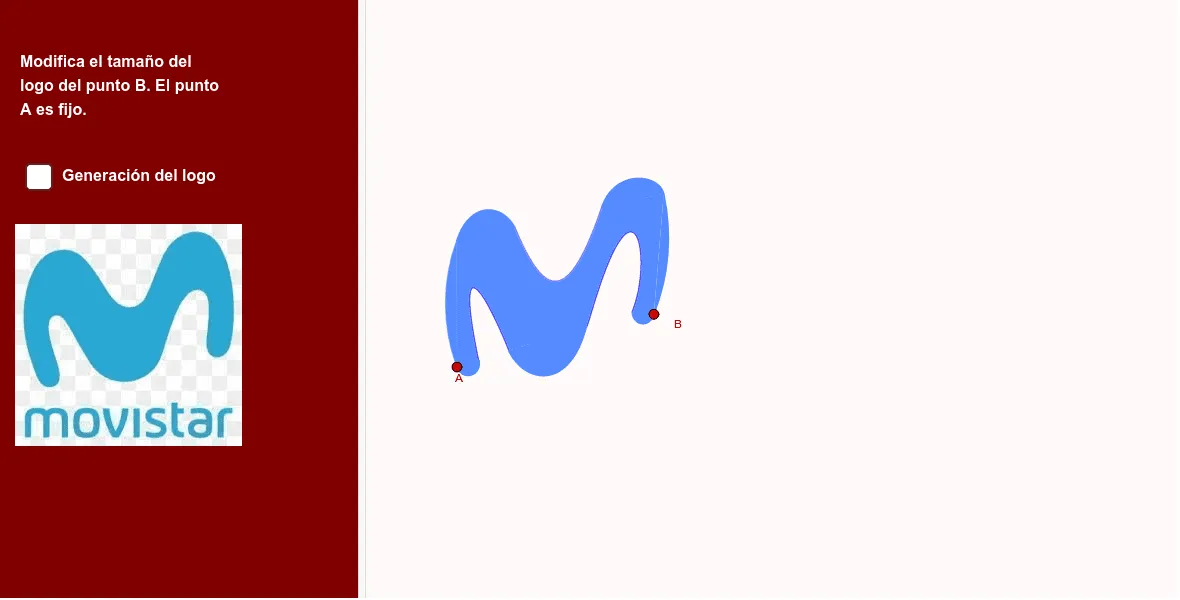
This GeoGebra example demonstrates how to construct the MOVISTAR logo using geometric construction tools. Key mathematical concepts include angles, triangles, and geometric constructions. Using commands such as Point, Rotate, Line, and Vector, users can step-by-step build the various parts of the logo. Suitable for middle school and above students or teachers as a teaching tool for geometric constructions.
GeoGebra Commands & Parameters
Point(f) → A_1Rotate(A_1, 15°, A) → B'Line(A, B') → gPoint(g) → BVector(A, B) → uOrthogonalVector(u) → vAngle(A_1, A, B') → αOrthogonalLine(A, f) → hLineBisector(C, A) → iOrthogonalLine(E, g) → kIntersect(k, i) → FCircleArc(F, C, A) → cSemicircle(D, A) → dOrthogonalLine(B, f) → jLineBisector(H, B) → lIntersect(h, l) → GCircleArc(G, B, H) → eSemicircle(B, I) → pIntersect(c, i) → R,Tangent(R, c) → n,Intersect(j, k) → SOrthogonalLine(S, n) → qIntersect(e, l) → T,Intersect(n, q) → VVector(R, V) → wLine(T, n) → rIntersect(q, r) → UTranslate(q, Vector[(0.2 * w)]) → q'Translate(q', Vector[(0.5 * w)]) → q''Intersect(n, q') → WIntersect(q'', n) → ZIntersect(q', r) → B_1Intersect(q'', r) → C_1Segment(C, H) → sSegment(D, I) → tCurveCartesian(((1 - t)^(3) * C) + (((3 * (1 - t)^(2)) * t) * D_1) + (((3 * (1 - t)) * t^(2)) * J) + (t^(3) * Q), t, 0, 1) → aCurveCartesian(((1 - t)^(3) * Q) + (((3 * (1 - t)^(2)) * t) * N) + (((3 * (1 - t)) * t^(2)) * P) + (t^(3) * H_1), t, 0, 1) → bCurveCartesian(((1 - t)^(3) * H_1) + (((3 * (1 - t)^(2)) * t) * L) + (((3 * (1 - t)) * t^(2)) * T_1) + (t^(3) * H), t, 0, 1) → a_1CurveCartesian(((1 - t)^(3) * D) + (((3 * (1 - t)^(2)) * t) * M) + (((3 * (1 - t)) * t^(2)) * O) + (t^(3) * I_1), t, 0, 1) → mCurveCartesian(((1 - t)^(3) * I_1) + (((3 * (1 - t)^(2)) * t) * K) + (((3 * (1 - t)) * t^(2)) * K_1) + (t^(3) * J_1), t, 0, 1) → b_1Polygon(A, I, B, H, C) → poly1, a_2, i_1, b_2, h_1, c_2CurveCartesian(((1 - t)^(4) * J_1) + (((4 * (1 - t)^(3)) * t) * F_1) + (((6 * (1 - t)^(2)) * t^(2)) * M_1) + (((4 * (1 - t)) * t^(3)) * G_1) + (t^(4) * I), t, 0, 1) → c_1Segment(A, D) → f_1Segment(I, B) → g_1
AI Drawing Prompt Reference
Draw the MOVISTAR logo by first creating point A and rotating it 15 degrees to get point B. Then draw line g through points A and B, and take point B on line g. Draw vector u through points A and B, and then draw the orthogonal vector v. Draw the angle α through points A1 and B'. Draw the angle bisector i through points C and A, and draw the orthogonal line k through points E and g. Then find the intersection F of line k and angle bisector i, and draw arc c. Next, draw semicircle d, and draw line j through point B and f. Then find the intersection G of line h and angle bisector l, and draw arc e. Continue by drawing semicircle p, and draw line n through points C and H, and then find the intersection T of line n and angle bisector l, and draw arc e. Next, draw semicircle p, and draw tangent n through points R and c, and then find the intersection S of line k and n, and draw line q through point S and n. Then find the intersection T of line e and l, and draw arc e, and continue by drawing semicircle p, and draw vector w through points R and V, and then draw line r through points T and n, and find the intersection U of line q and r, and draw arc e, and continue by drawing semicircle p, and draw the translation of q' by vector (0.2 * w), and then draw the translation of q'' by vector (0.5 * w), and find the intersection W of line n and q', and then find the intersection Z of line q'' and n, and finally draw the polygon and curves.
The prompt above was compiled from the original drawing commands and is for reference only.