
Two-Step Geometric Transformations: Reflection and Rotation/Translation
Loading the math board and drawing, please wait…
In collections
Translations, Rotations, Reflections Exercises
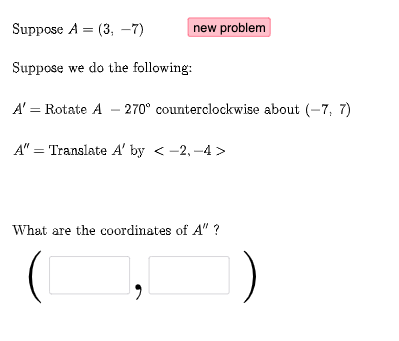
This example demonstrates how a scalene triangle can be transformed in two successive steps to produce a new configuration, highlighting how corresponding points and edges move under a composite transformation. The key mathematics concepts are geometric transformations (reflection, rotation, translation, and related direction handling) and vector-based representation of displacement/direction to keep track of correspondences between original and transformed vertices. Construction-wise, the model uses Random and RandomElement to choose parameters, Vector to define transformation directions, and If to switch behavior based on conditions. Textfield is used to display relevant parameters or labels. The core construction objects include the transformation stages FirstTrans, SecondTrans, and Thirdtrans, along with mapped points P1, P2, and P3. Additional variables such as vectors u and v and coordinate-derived quantities (including squared terms like c2 and d2) support consistent tracking of triangle structure through the steps. Lists like masterlist and secondlist organize the objects generated after each stage, while button1 triggers or updates the transformation sequence. Suitable for classroom demonstrations and study of transformation geometry from middle school through early university.
GeoGebra Commands & Parameters
Random(-10, 10) → aRandom(-10, 10) → bRandom(1, 3) → FirstTransRandom(1, 3) → SecondTransRandom(-10, 10) → cRandom(-10, 10) → dVector((c, d)) → uRandom(-10, 10) → c2Random(-10, 10) → d2Vector((c2, d2)) → vRandomElement(masterlist) → n1If(n1 ≟ 1, {2, 3}, n1 ≟ 2, {1, 3}, n1 ≟ 3, {1, 2}) → secondlistRandom(-10, 10) → fRandom(-10, 10) → gRandom(-10, 10) → f2Random(-10, 10) → g2RandomElement(m) → ang1Random(1, 3) → ThirdtransRandom(-10, 10) → kRandom(-10, 10) → lVector((k, l)) → wRandomElement(secondlist) → n2If(n1 + n2 ≟ 3, 3, n1 + n2 ≟ 4, 2, n1 + n2 ≟ 5, 1) → n3RandomElement(l1) → hIf(n1 ≟ 1, Translate[A, u], n1 ≟ 2, Rotate[A, ang1, P2], n1 ≟ 3, Mirror[A, h]) → A1If(n2 ≟ 1, Translate[A1, u], n2 ≟ 2, Rotate[A1, ang1, P2], n2 ≟ 3, Mirror[A1, h]) → A2If(n3 ≟ 1, Translate[A2, u], n3 ≟ 2, Rotate[A2, ang1, P2], n3 ≟ 3, Mirror[A2, h]) → A3Textfield(e1) → InputBox1Textfield(e2) → InputBox2If(e1 ≟ x(A2), "√", "X") → text14If(e2 ≟ y(A2), "√", "X") → text15
AI Drawing Prompt Reference
Draw a scalene triangle and apply three successive random geometric transformations (translation, rotation, or reflection) to it. Each transformation uses a random direction vector, a random rotation angle, or a random mirror line. After each step, show the new triangle verticesholistically. Include the original triangle, the transformed triangles, the transformation vectors, and labels for verification of coordinates. The figure should illustrate the composite transformation sequence clearly.
The prompt above was compiled from the original drawing commands and is for reference only.