
Messing with Splines: Interactive Parametric Curve Exploration
Loading the math board and drawing, please wait…
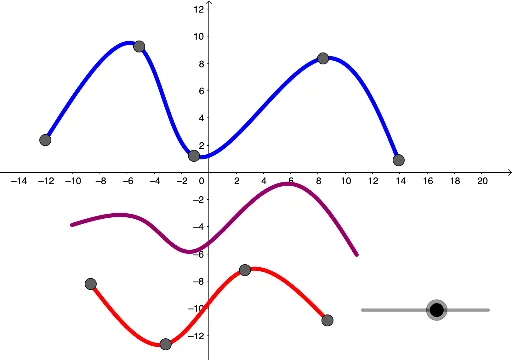
This GeoGebra example demonstrates how to construct and manipulate spline curves using the Spline command, alongside parametric curves defined by CurveCartesian. It showcases the interplay between control points (A through I), sliders (a, b, etc.), and auxiliary objects to create smooth, adjustable curves. Core mathematical concepts include spline interpolation, parametric equations, curve fitting, quadratic equations, normal distribution, and general quadrilateral transformations, with rotations and distributions visualized dynamically. The construction uses Spline to connect points, CurveCartesian for parametric definitions, and numerous sliders and variables to modify curve shape in real time. This is ideal for high school to university-level mathematics, particularly for analytic geometry, introductory calculus, and computer graphics, helping learners grasp the principles of spline construction and parametric representation.
GeoGebra Commands & Parameters
Spline({A, B, C, D}, 3) → aSpline({E, F, G, H, I}, 3) → bCurveCartesian((u * a(t)) + ((1 - u) * b(t)), t, 0, 1) → c