
Vertical Launch: Dynamic Simulation of Velocity Vectors and Trajectory
Loading the math board and drawing, please wait…
In collections
The Domain of the Time (intuitive kinematics)
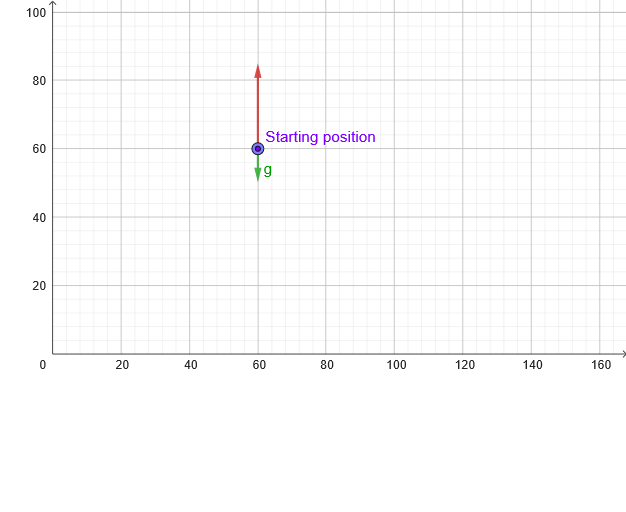
This GeoGebra example dynamically simulates a vertical launch, illustrating the upward and downward motion of an object under gravity, along with the time evolution of its velocity vector. Core mathematical concepts include uniformly accelerated linear motion, quadratic relationships between displacement and time, vector decomposition (horizontal and vertical components), and parametric equations. Construction highlights: commands such as PointIn, Segment, Vector, and Textfield are used to define initial velocity components (vx, vy), gravitational acceleration g, the moving point P, and trajectory points T; sliders (t0, t1, dt, tt) control time parameters, while animation buttons (anima, empieza, reinicia) drive the motion; checkboxes (verVectores, verArco) toggle the display of velocity vectors and the trajectory arc; an input box (CasillaDeEntrada2) lets users modify initial velocity for real-time updates. Suitable for high school physics or mathematics classes studying projectile motion, quadratic graphs, and vector applications, as well as introductory university physics demonstrations.
GeoGebra Commands & Parameters
PointIn(x ≥ 0 ∧ y ≥ 0) → PSegment(P, (x(P), 0)) → hAbajoVector((x(M), y(P)), (x(M) + vx, y(P))) → vx_{1}Textfield(vy) → CasillaDeEntrada2Vector((x(P), y(P)), (x(P), y(P) + vy)) → vy_{1}Vector(M, (x(M), y(M + v))) → vvSegment(P, (x(P), y(P) + vy^(2) / ((2 * abs(g))))) → hArriba
AI Drawing Prompt Reference
Draw a dynamic simulation of a vertical launch, illustrating the upward and downward motion of an object under gravity, along with the time evolution of its velocity vector. The graph includes key objects such as initial velocity, gravitational acceleration, moving point P, and trajectory points T. Users can control time parameters using sliders, toggle the display of velocity vectors and trajectory arc, and adjust initial velocity.
The prompt above was compiled from the original drawing commands and is for reference only.