
Ballistic Trajectory Simulation: Parametric Equations & Vector Decomposition
Loading the math board and drawing, please wait…
In collections
The Domain of the Time (intuitive kinematics)
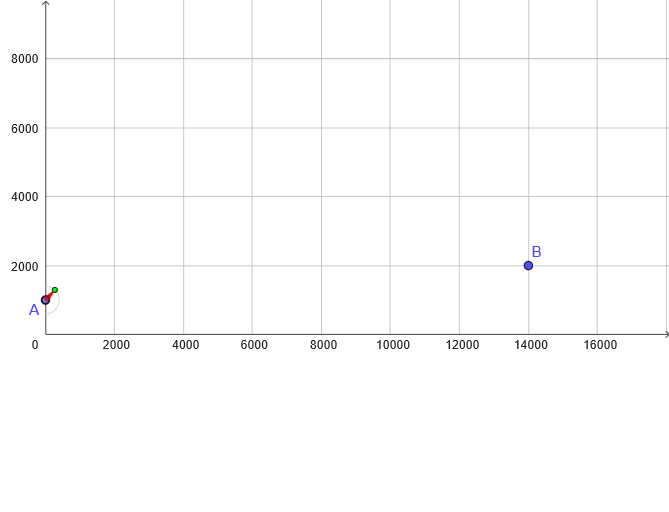
This example demonstrates the ballistic trajectory of 2D projectile motion through parametric equations visualizing parabolic paths. Core mathematical concepts include: (1) parabolic equations and kinematic formulas; (2) velocity vector decomposition into horizontal component v0x and vertical component v0y; (3) gravitational acceleration g's effect on vertical motion. Construction highlights: Vector command for velocity vectors, PointIn for moving particle, Slider animation showing continuous time parameter t, PolyLine for complete trajectory curves, Textfield for interactive parameter input (initial velocity v0, launch angle α, etc.), If statements controlling animation start/stop and reset. Suitable for high school physics and mathematics courses, teaching parametric equations of oblique projectile motion, vector operations, and dynamic visualization of function graphs.
GeoGebra Commands & Parameters
Polygon((0, 0), (0, 10^(6)), (10^(6), 10^(6)), (10^(6), 0)) → a, h, i, j, lPointIn(a) → ASemicircle(A + (0, r), A + (0, (-r))) → cPoint(c) → PVector(A, P) → v0Vector((x(M), y(A)), (x(M) + v0x, y(A))) → vxVector((x(A), y(A)), (x(A), y(A) + v0y)) → vyPointIn(a) → BTextfield(r) → CasillaDeEntrada1Angle(A + (1, 0), A, P) → αVector(M, M + v) → vvSegment(A, (x(A), y(A) + v0^(2) / ((2 * abs(g))))) → hArribaIf(v0x ≟ 0 ∧ v0y ≥ 0, (v0y + sqrt(((2 * y(A - B)) * abs(g)) + v0y^(2))) / abs(g), v0x ≟ 0 ∧ v0y < 0, (v0y - sqrt(((2 * y(A - B)) * abs(g)) + v0y^(2))) / abs(g), x(B - A) / v0x) → TteorSegment(A, (x(A), 0)) → hAbajoPolyLine(reg) → pol
AI Drawing Prompt Reference
Draw a parabolic trajectory graph showing the motion path from start to end. Include a starting point, a parabolic path, an initial velocity vector, and a vertical component. The path is connected by points, the velocity vector is shown as an arrow, and the vertical component is shown as a vertical line. There is a text box for input parameters.
The prompt above was compiled from the original drawing commands and is for reference only.