
Matrix Representation of a Rotation in 3D
Loading the math board and drawing, please wait…
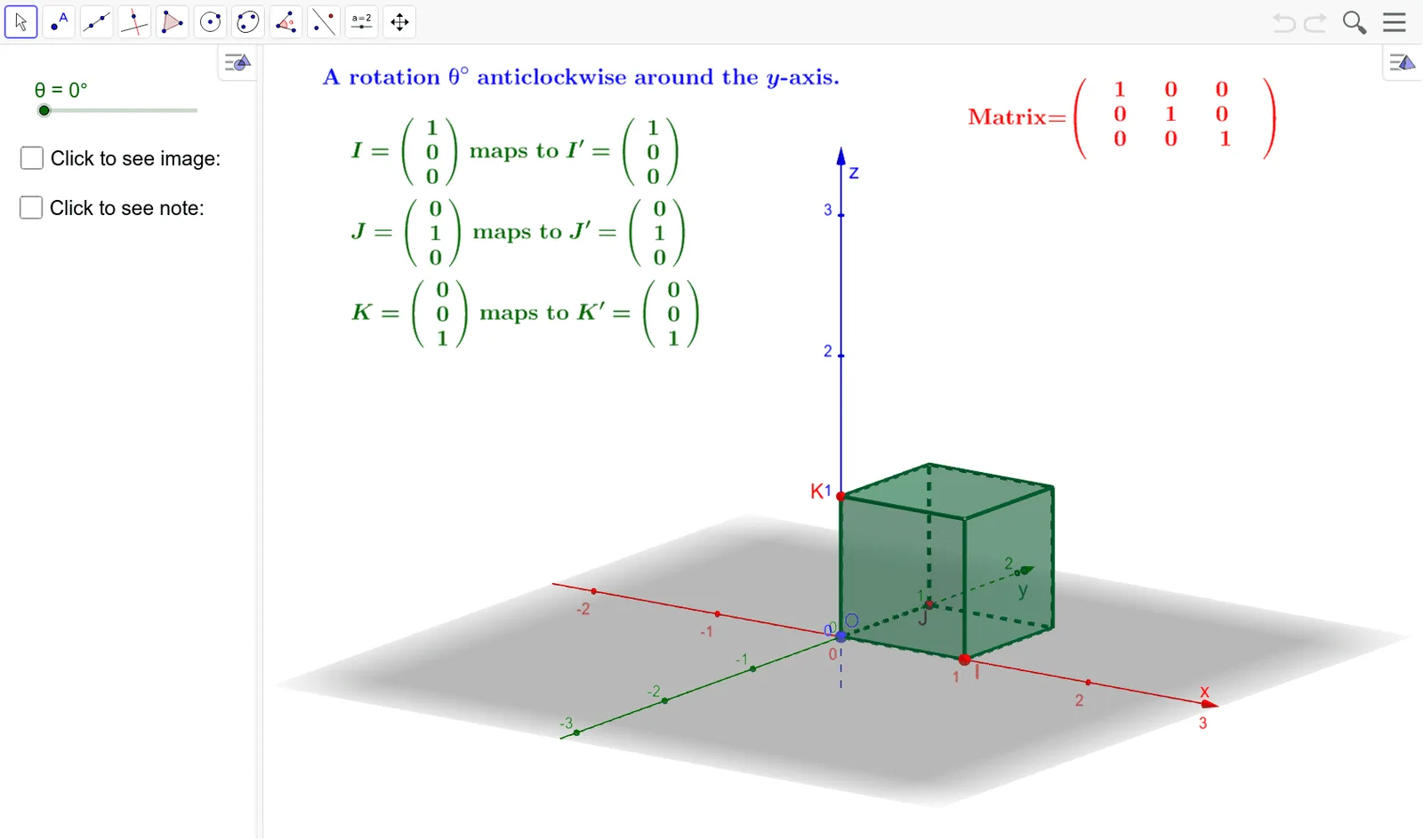
This example demonstrates the matrix representation of rotations in 3D space, illustrating how matrices can transform geometric objects. Key math concepts include matrix operations, 3D coordinate transformations, and trigonometric functions. Constructed using GeoGebra commands like Point, Cube, Rotate, and PointIn, involving objects such as O, I, C, a, J, K, and various faces and edges of a cube. Suitable for high school students and those interested in the intersection of spatial geometry and linear algebra.
GeoGebra Commands & Parameters
Point(Circle[I, Distance[O, I], Segment[O, I]]) → CCube(O, I, C) → a, J, faceCDHG, faceEFGH, edgeAD, edgeAB, edgeBC, edgeCD, edgeAE, edgeDH, edgeEH, edgeEF, K, edgeBF, edgeFG, edgeCG, edgeGH, F, G, H, faceABCD, faceADHE, faceABFE, faceBCGFRotate(a, θ, yAxis) → a'PointIn(a') → K'PointIn(a') → I'
AI Drawing Prompt Reference
Draw a 3D coordinate system with a cube whose one vertex is at the origin, and two adjacent vertices lie on the positive axes, forming a right triangle with the origin. Construct a circle centered at the origin with radius equal to the distance from the origin to one of those vertices, lying in the plane of the triangle, and pick a point on the circle to serve as the third adjacent vertex of the cube. Build the cube from these three points, showing all faces and edges. Then rotate the entire cube about the vertical axis by an angle, and randomly select two points on the rotated cube's surface as markers.
The prompt above was compiled from the original drawing commands and is for reference only.