
Möbius Transformations
Loading the math board and drawing, please wait…
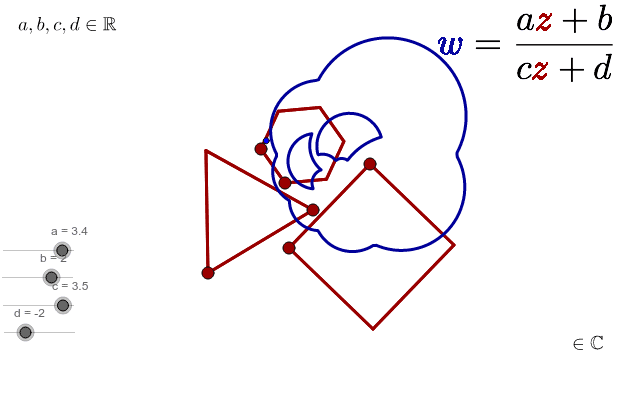
Drag the red points to change the polygons and observe the animated Möbius transformation. This example demonstrates the geometric meaning of complex number transformations, involving polygons, rotation, and transformation. It uses commands like Polygon, Point, and Locus in GeoGebra, suitable for high school mathematics education and learning.
GeoGebra Commands & Parameters
Polygon(A, B, 3) → Polygon1, c_1, a_1, b_1, CPoint(Polygon1) → Z1Polygon(D, E, 4) → Polygon2, d_1, e, f, g, F, GPolygon(H, I, 6) → Polygon3, h, M, i, j, k, l, m, J, K, LLocus(W1, Z1) → loc1Point(Polygon2) → Z2Locus(W2, Z2) → loc2Point(Polygon3) → Z3Locus(W3, Z3) → loc3
AI Drawing Prompt Reference
Draw a figure consisting of three polygons, with the first one having 3 vertices, the second one having 4 vertices, and the third one having 6 vertices. Move the vertices of the first polygon to see its transformation and trace its path. Then move the vertices of the second polygon to see its transformation and trace its path. Finally, move the vertices of the third polygon to see its transformation and trace its path.
The prompt above was compiled from the original drawing commands and is for reference only.