
Linear Programming: Problem 1 - Interactive Solver
Loading the math board and drawing, please wait…
In collections
CCSS HS: Algebra (Reasoning with Equations & Inequalities)
Linear Programming
CCSS HS: Algebra (Reasoning with Equations & Inequalities)
CCSS HS: Algebra (Reasoning with Equations & Inequalities)
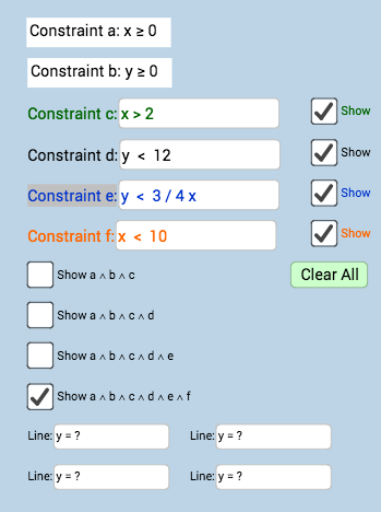
① This example demonstrates a classic linear programming problem with an interactive interface where users can input coefficients of the objective function and constraints, and dynamically visualize the feasible region and optimal solution. ② Core mathematical concepts include linear programming, systems of linear inequalities, feasible regions, objective functions, optimal solutions, and geometric representation of constraints. ③ Construction highlights: from the construction summary, multiple text fields (Textfield, InputBox1-9) and buttons (button1, button2) are used to receive parameters; variables a, b, c, d, e, f define constraint lines; function objects (f_1, g_1, h_1) plot boundary lines; dynamic text (text1, text1_1) displays results, forming an interactive linear programming solver. ④ Suitable for high school or early college mathematics courses to understand the geometric meaning and solving process of linear programming, and can serve as a teacher demonstration tool or a student self-exploration platform.
GeoGebra Commands & Parameters
Textfield(i) → InputBox2Textfield(a) → InputBox4Textfield(d) → InputBox5Textfield(e) → InputBox6Textfield(f) → InputBox7Textfield(t) → InputBox1Textfield(f_1) → InputBox3Textfield(g_1) → InputBox8Textfield(h_1) → InputBox9