
Approximation Interactive Practice: Number Input and Feedback Game
Loading the math board and drawing, please wait…
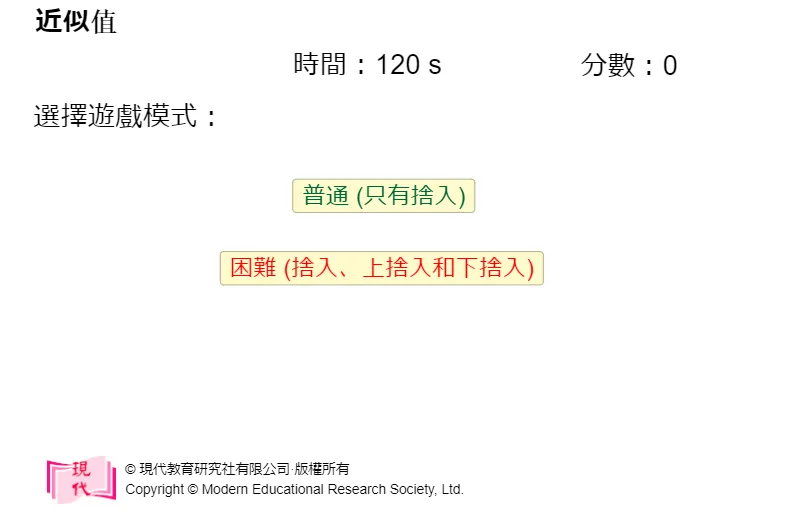
① This example demonstrates an interactive game for practicing approximation of numerical values, providing immediate feedback on user input. ② Core math concepts include approximation, significant digits, rounding, numerical comparison, and numerical handling in linear programming or optimization problems. ③ Construction highlights: from the summary, many text objects (text29, text1, n1text, n2text etc.) display questions and feedback; digit buttons (but0 to but9, butDot, butBack, butC, butOK) allow input; variables (digits, adigits, score, maxtime, t) control game logic; mode switching (mode) and win/lose text (wintext, losetext) are included. ④ Suitable for upper elementary to middle school students, for classroom or self-study, reinforcing approximation concepts and number entry skills through gamification.
GeoGebra Commands & Parameters
{0, 5, 7, 4, 4, 1, 6, 4, 3, 9}{0, 5, 7, 4, 4, 1, 6, 4, 4, 9}falseNumeric n1(1)Numeric n2(2)Numeric n3(3)Numeric mode(1){"捨入至", "上捨入至", "下捨入至"}{"最接近的整數。", "最接近的十位。", "最接近的百位。", "最接近的千位。", "最接近的萬位。"}{"一位小數。", "二位小數。", "三位小數。", "四位小數。", "五位小數。"}{"一位有效數字。", "二位有效數字。", "三位有效數字。", "四位有效數字。", "五位有效數字。"}{"", "5", "7", "4", "4", "1", "6", "4", "4", ""}Numeric ii(11)Numeric score(0)120Numeric t(0)Numeric q(1)Numeric num(57441.643899999995)Numeric nq1(2)Numeric oip(5)Numeric odp(4)Numeric nq4(5)Numeric rindex(9)(0, 0)(0, 0)Numeric lindex(2)(0, 0)Numeric tmpsum(0)0Point C(14.005000000000042, -15.304999999999984)Point D(28.87500000000008, -15.304999999999984)
AI Drawing Prompt Reference
Create an interactive approximation practice game interface. At the top, display the current question, such as 'Approximate 57441.6439 to the nearest integer,' with instructional text. Below, show a numeric input area with buttons for digits 0-9, a decimal point, backspace, clear, and OK. Above the input area, display the digits the user has entered. On the right side, show the score and remaining time. When the input is correct, display 'Correct' feedback and add points; when wrong, show 'Wrong' and the correct answer. Include multiple modes like rounding, rounding up, and rounding down, with different precisions (integer, tens, hundreds, etc.). The layout should be clear and suitable for student use.
The prompt above was compiled from the original drawing commands and is for reference only.