
Kegel Parameter of Cone and Plane Intersection
Loading the math board and drawing, please wait…
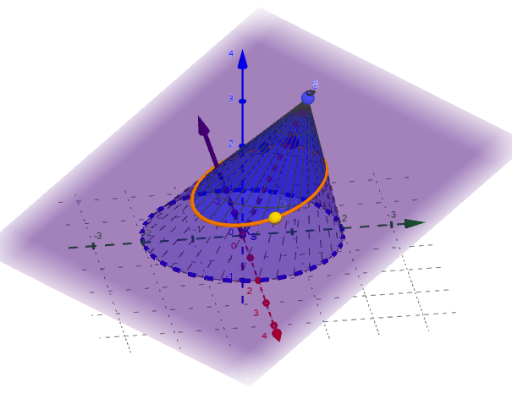
This example demonstrates the Kegel parameter of a cone intersected by a plane, involving concepts like cone parametric equations, plane intersection curves, and parametric surface construction. The construction uses GeoGebra commands such as Point, Vector, Surface, and Segment to build the cone, plane, and intersection curve. Suitable for high school students learning coordinate geometry and solid geometry, or for mathematical modeling education.
GeoGebra Commands & Parameters
Point(q, h) → QVector(S) → aSurface(((r * cos(t)) - ((r * cos(t)) * u), (R * sin(t)) - ((R * sin(t)) * u), 0) + (u * S), t, 0, (2 * π), u, 0, z(S) / 2) → K_SSegment(U_{π}, Q) → f
AI Drawing Prompt Reference
Create a 3D picture showing the intersection curve between a cone and a plane, emphasizing the cone–plane parameter relationship. Start by specifying cone height-related parameters and mark a point on the vertical axis as an upper reference. Construct the cone surface from its parametric equations to form the 3D shell. Then form the intersection curve produced by the cone surface under the chosen plane, described in parameter form. Finally, draw a segment connecting a distinguished point on the construction to the reference point to highlight how the parametric setup is linked. The final image should include the cone surface, the intersection curve, and the connecting segment.
The prompt above was compiled from the original drawing commands and is for reference only.