
Isosceles Triangle and Two Congruent Segments
Loading the math board and drawing, please wait…
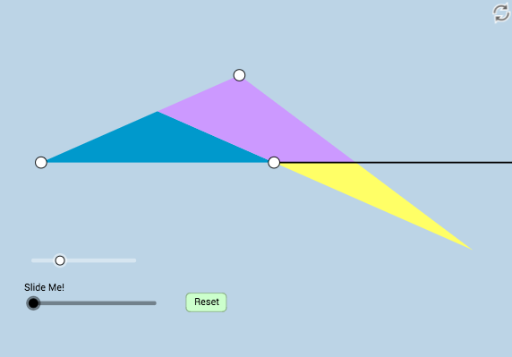
This example illustrates the relationship between an isosceles triangle and two congruent segments. Key mathematical concepts include the properties of isosceles triangles and the definition of congruent segments. Constructed using GeoGebra commands such as Rotate, Angle, Ray, Segment, Intersect, Circle, Point, Distance, Polygon, Min, CircleSector, Dilate, Vector, Translate, Line, it is suitable for students at the junior high school level and above for geometric construction.
GeoGebra Commands & Parameters
Rotate(B, (a * π / 180), A) → B'Angle(B, A, B') → αRay(A, B') → fSegment(A, B) → gRotate(A, (-((a * π / 180))), B) → A'Angle(A', B, A) → βRay(B, A') → hIntersect(f, h) → CSegment(A, C) → iSegment(B, C) → jCircle(B, 1) → cRay(A, B) → kIntersect(c, k, 2) → DRay(B, D) → lCircle(C, 1) → dRay(A, C) → mIntersect(d, m, 2) → FRay(C, F) → nCircle(B, 1) → pRay(C, B) → qIntersect(p, q, 2) → HRay(B, H) → rPoint(n) → ECircle(B, Distance[A, E]) → eIntersect(e, r, 1) → GSegment(E, G) → sIntersect(l, s) → IDistance(E, I) → distanceEIDistance(I, G) → distanceIGPolygon(A, B, C) → poly1, c_1, a_1, bPolygon(B, I, E, C) → poly2, b_1, i_1, e_1, c_2Polygon(B, I, G) → poly3, g_1, b_2, i_2Min(i, g) → oCircle(A, (0.35 * o)) → tIntersect(t, i, 1) → JIntersect(t, g) → K,Rotate(K, If[0 < u ≤ 1, (u * α), α], A) → K'CircleSector(A, K, K') → d_1CircleSector(A, K, J) → f_1Dilate(A, If[2 < u ≤ 3, 3 - u, 0], B) → A'_1Vector(A, A'_1) → vTranslate(f_1, v) → h_1Rotate(h_1, If[3 < u ≤ 4, ((u - 3) * (π - α)), π - α], B) → k_1Dilate(E, If[4 < u ≤ 5, 5 - u, 0], I) → E'Segment(E, E') → j_1Rotate(E, If[5 < u ≤ 6, ((u - 5) * π), π], I) → E'_1Rotate(E', If[5 < u ≤ 6, ((u - 5) * π), π], I) → E''Segment(E'_1, E'') → l_1Line(A, E) → m_1Line(E'_1, m_1) → n_1Point(n_1) → LDilate(A, If[7 < u ≤ 8, 8 - u, 0], E) → A'_2Segment(A, A'_2) → p_1Angle(B, E'_1, L) → γDilate(E, If[8 < u ≤ 9, 9 - u, 0], E'_1) → E'_2Vector(E, E'_2) → wTranslate(A, w) → A'_3Translate(A'_2, w) → MSegment(A'_3, M) → q_1Rotate(A'_3, If[9 < u ≤ 10, ((-(u - 9)) * γ), (-γ)], E'_1) → NRotate(M, If[9 < u ≤ 10, ((-(u - 9)) * γ), (-γ)], E'_1) → M'Segment(N, M') → r_1
AI Drawing Prompt Reference
Draw an isosceles triangle ABC with AB=AC. Draw a unit circle centered at B, intersecting the extension of AB at D and the extension of AC at E. Draw a unit circle centered at C, intersecting the extension of CA at F. Connect DE, intersecting BC at I. With I as the center and IE as the radius, draw a circle intersecting BC at G. Connect EG, intersecting BC at J. With B as the center and BJ as the radius, draw a circle intersecting DE at K, then rotate K to get K'. With A as the center and AK as the radius, draw an arc d1, and with AK' as the radius, draw an arc f1.
The prompt above was compiled from the original drawing commands and is for reference only.