
Introduction to Fractions by Guillermo Bautista
Loading the math board and drawing, please wait…
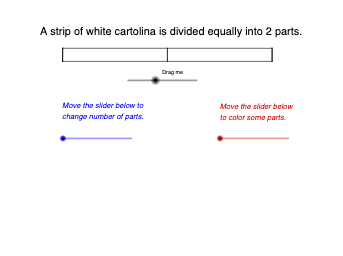
This example dynamically demonstrates the basic concept of fractions, showing how fractions can be represented as parts of a shape. The core math concepts involved include the definition of fractions, geometric representation, and the equality of fractions. Construction highlights the use of GeoGebra commands and objects such as Intersect (intersection), Segment (line segment), Polygon (polygon), and Sequence, allowing observation of fraction changes by dragging points or adjusting parameters. Suitable for upper elementary and middle school students learning fractions, as well as a mathematical visualization teaching tool.
GeoGebra Commands & Parameters
Intersect(xAxis, yAxis) → BSegment(A, B) → fSegment(A, C) → gSegment(C, D) → hSegment(D, B) → iSegment(E, C) → jSegment(E, B) → kPolygon(E, B, D, C) → q1, e, b_1, d_1, cSequence(Segment[((4 / n, 0) * i), ((4 / n * i), 0.25)], i, 0, n) → l1, {0.25, 0.25, 0.25}Segment(F, G) → lPolygon((0, 0), (0, 0.25), ((4 / n * b), 0.25), ((4 / n * b), 0), (0, 0)) → poly1, m, p, q, r, sSegment(F_{1}, G_{1}) → l_{1}
AI Drawing Prompt Reference
Create a coordinate plane with two perpendicular axes and mark their intersection as the main reference point. Construct several connected line segments that form a fraction-shaped closed polygon composed of pieces: along the bottom edge use positions determined by a width of 4/n, then connect corresponding points at height 0.25 to the bottom and close the region using a left vertical edge. Add the segmented boundary produced by dividing the bottom span into n equal parts and show the resulting piecewise edges, so dragging or changing n visually updates the fraction representation within the polygon.
The prompt above was compiled from the original drawing commands and is for reference only.