
Interactive Tangent Plane Construction (Tangent Plane)
Loading the math board and drawing, please wait…
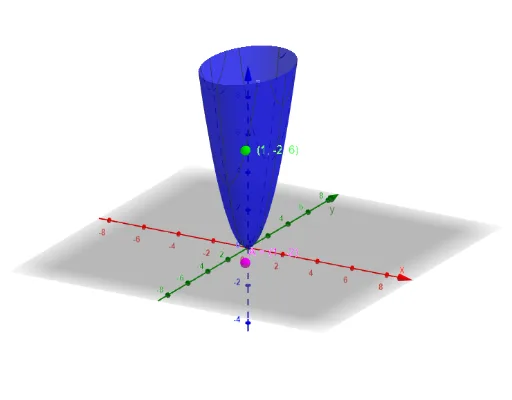
This GeoGebra example demonstrates how the tangent plane to a surface is determined at a chosen point and how it changes dynamically as the point moves. It supports an intuitive understanding of the surface’s linear approximation in 3D. Key mathematical ideas include derivatives (via partial derivatives/gradient), tangent vectors, normal vectors, and the equation of a plane defined from those vectors, together with line–plane intersection to locate or validate the construction visually. Construction highlights from the provided command summary include: using Derivative to obtain derivative/gradient-related data from a function f; using Vector to build direction or normal vectors (e.g., p, q, a, u, b, v); using Line and Plane to create spatial reference objects (including planes like the displayed tangent plane and fixed coordinate references); using IntersectPath to compute intersections that help reveal where the tangent plane sits relative to the chosen path/curve; and using Textfield, InputBox1/2, button1, and timer* steps to control user inputs and progressive visualization (with equation objects eq1 and eq2 to show the underlying relationships). Suitable for calculus and coordinate-geometry instruction, especially for learners studying tangent lines/planes and their connection to derivatives and local linearization.
GeoGebra Commands & Parameters
Derivative(f(x, y), x) → pdxDerivative(f(x, y), y) → pdyVector((0, 1, pdy(x(B), y(B)))) → uLine((x(B), 0, a), u) → gVector((1, 0, pdx(x(B), y(B)))) → vLine((0, y(B), b), v) → hPlane(g, h) → rTextfield(f) → InputBox1Textfield(A) → InputBox2IntersectPath(p, f(x, y)) → eq1IntersectPath(q, f(x, y)) → eq2
AI Drawing Prompt Reference
Create a 3D scene with the surface z = f(x, y) and a chosen point that can move. Determine at that point the partial-derivative data of f with respect to x and y, then use it to form two direction vectors that represent the tangent directions. Build one line from an x-constant reference point in the direction defined by the y-related derivative information, and build a second line from a y-constant reference point in the direction defined by the x-related derivative information. Define the tangent plane through the chosen point using these two lines, so it updates as the point moves. Add two visual intersection expressions showing how the surface relates to the selected path at the current position, with text inputs for the function and parameters to control the construction.
The prompt above was compiled from the original drawing commands and is for reference only.