
Interactive Rectangle Transformation
Loading the math board and drawing, please wait…
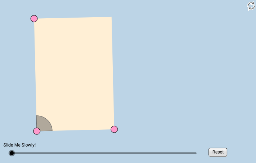
This GeoGebra applet illustrates the properties of rectangles through geometric transformations, focusing on concepts like transformation, vectors, and polygons. Using commands like Segment, Slope, Vector, and Polygon, students can explore the translation and rotation of rectangles. Suitable for middle school and above students learning geometric transformations.
GeoGebra Commands & Parameters
Segment(A, B) → aSlope(a) → cOrthogonalLine(A, a) → ePoint(e) → CRay(A, C) → dPoint(d) → DSegment(A, D) → fLine(D, a) → gLine(B, f) → hIntersect(g, h) → ESegment(D, E) → iSegment(E, B) → jMidpoint(A, E) → FCircle(A, (0.2 * Min[f, i])) → kIntersect(k, f) → G,Intersect(k, a, 1) → HDilate(A, If[0 < l ≤ 1, 1 - l, 0], B) → A'Vector(A, A') → uCircleSector(A, H, G) → pTranslate(p, u) → p'Rotate(p', If[1 < l ≤ 2, ((l - 1) * π / 2), 1.5707963267948966], B) → p''Dilate(B, If[2 < l ≤ 3, 3 - l, 0], E) → B'Vector(B, B') → vTranslate(p'', v) → p'''Rotate(p''', If[3 < l ≤ 4, ((l - 3) * π / 2), 1.5707963267948966], E) → qDilate(E, If[4 < l ≤ 5, 5 - l, 0], D) → E'Vector(E, E') → wTranslate(q, w) → q'Rotate(q', If[5 < l ≤ 6, ((l - 5) * π / 2), 1.5707963267948966], D) → q''Dilate(D, If[6 < l ≤ 7, 7 - l, 0], F) → D'Vector(D, D') → mSegment(D, D') → nDilate(F, If[7 < l ≤ 8, 8 - l, 0], B) → F'Segment(F, F') → rDilate(A, If[8 < l ≤ 9, 9 - l, 0], F) → A'_1Segment(A, A'_1) → sDilate(F, If[9 < l ≤ 10, 10 - l, 0], E) → F'_1Segment(F, F'_1) → tPolygon(A, B, E, D) → poly1, a_1, b_1, e_1, d_1Angle(E, F, D) → αAngle(B, A, F) → γAngle(F, A, D) → δRotate(F, If[10 < l ≤ 11, ((l - 10) * α), α], F) → F'_2Rotate(F'_1, If[10 < l ≤ 11, ((l - 10) * α), α], F) → ISegment(F'_2, I) → t'Rotate(F'_2, If[11 < l ≤ 12, ((l - 11) * (π - α)), π - α], F) → JRotate(I, If[11 < l ≤ 12, ((l - 11) * (π - α)), π - α], F) → I'Segment(J, I') → t''Rotate(J, If[12 < l ≤ 13, ((l - 12) * α), α], F) → J'Rotate(I', If[12 < l ≤ 13, ((l - 12) * α), α], F) → I''Segment(J', I'') → t'''Segment(A, F) → c_1Intersect(k, c_1) → K,CircleSector(A, H, K) → f_1CircleSector(A, K, G) → g_1Dilate(A, If[16 < l ≤ 17, 17 - l, 0], E) → A'_2Dilate(A, If[16 < l ≤ 17, 17 - l, 0], B) → A'_3Dilate(A, If[16 < l ≤ 17, 17 - l, 0], D) → A'_4Vector(A, A'_3) → u_1Vector(A, A'_2) → v_1Vector(A, A'_4) → w_1Translate(f_1, u_1) → h_1Translate(f_1, v_1) → k_1Translate(f_1, w_1) → p_1Rotate(h_1, If[17 < l ≤ 18, ((l - 17) * (π / 2 + δ)), π / 2 + δ], B) → q_1Rotate(p_1, If[17 < l ≤ 18, ((l - 17) * ((3 * π / 2) + δ)), (3 * π / 2) + δ], D) → r_1Rotate(k_1, If[17 < l ≤ 18, ((l - 17) * π), 3.141592653589793], E) → s_1Dilate(A, If[18 < l ≤ 19, 19 - l, 0], E) → A'_5Dilate(A, If[18 < l ≤ 19, 19 - l, 0], D) → A'_6Dilate(A, If[18 < l ≤ 19, 19 - l, 0], B) → A'_7Vector(A, A'_7) → i_1Vector(A, A'_5) → j_1Vector(A, A'_6) → l_1Translate(g_1, l_1) → t_1Translate(g_1, j_1) → c_2Translate(g_1, i_1) → d_2Rotate(d_2, If[19 < l ≤ 20, ((l - 19) * δ), δ], B) → e_2Rotate(c_2, If[19 < l ≤ 20, ((-(l - 19)) * π), -3.141592653589793], E) → f_2Rotate(t_1, If[19 < l ≤ 20, ((l - 19) * (π + δ)), π + δ], D) → g_2
AI Drawing Prompt Reference
Draw a rectangle constructed from a base segment and a perpendicular side, with the fourth vertex found by intersecting parallel lines. Inside the rectangle, draw shrinking segments from the center toward each vertex to show a dynamic contraction effect. Place a circular sector at one corner, then translate and rotate it successively along each side of the rectangle by 90 degrees, simulating a rolling motion around the perimeter. Also include auxiliary segments connecting midpoints to vertices, and label relevant angles. The overall scene illustrates geometric transformations of a rectangle, including translation, rotation, and scaling.
The prompt above was compiled from the original drawing commands and is for reference only.