
Interactive Area Calculations
Loading the math board and drawing, please wait…
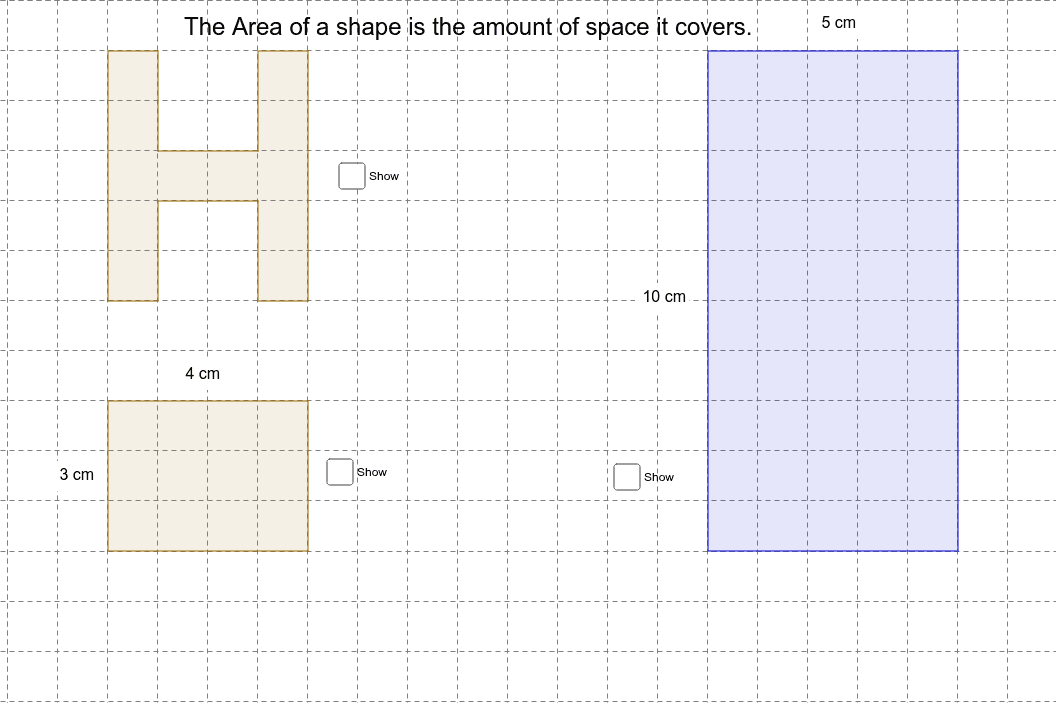
This example demonstrates how to calculate the area of various shapes like polygons and kites using interactive methods. It involves core math concepts such as area formulas, distance calculations, and point-in-polygon tests. Constructed using GeoGebra commands like Polygon, Distance, and PointIn. Suitable for middle school students and educators for learning and teaching purposes.
GeoGebra Commands & Parameters
Polygon(E, F, G, H) → poly2, e, f, g, hPolygon(I, J, K, L) → poly3, i, j, k, lDistance(E, F) → distanceEFDistance(H, E) → distanceHEDistance(I, L) → distanceILDistance(J, I) → distanceJIPolygon(A, B, S, T, C, D, M, N, O, P, Q, R) → poly1, a, r, s, t, b, c, d, m, n, o, p, qPointIn(poly3) → Pointpoly3PointIn(poly2) → Pointpoly2PointIn(poly1) → Pointpoly1
AI Drawing Prompt Reference
Draw two polygons and a complex twelve-sided polygon in different colors. Calculate and display the distances between the vertices of the two polygons, and show the position of a point inside the complex polygon, demonstrating the interactive relationship of points within polygons for teaching geometric area calculations and point location determination.
The prompt above was compiled from the original drawing commands and is for reference only.