
Angle Naming
Loading the math board and drawing, please wait…
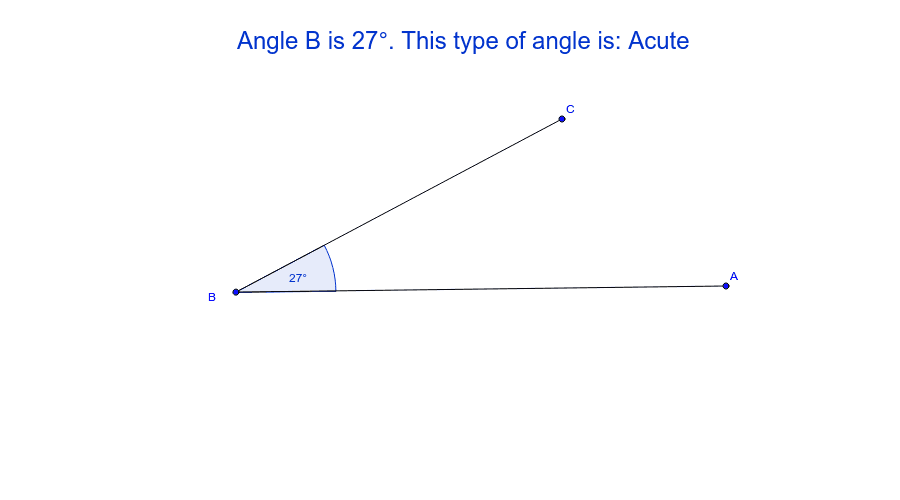
This example demonstrates the basic naming of angles. Key mathematical concepts include angle classification and naming. It uses Segment, Angle, If, etc., GeoGebra commands for construction. Suitable for middle school and above students learning geometric construction.
GeoGebra Commands & Parameters
Segment(A, B) → aSegment(B, C) → bAngle(A, B, C) → αIf(round(α) < 90°, "Acute", If[round(α) ≟ 90°, "Right Angle", If[round(α) ≟ 180°, "Straight line", If[round(α) < 180°, "Obtuse", "Reflex"]]]) → type
AI Drawing Prompt Reference
Draw a triangle ABC with points A, B, and C. Connect point A to B and point B to C to form segments a and b. Measure angle ABC and label it as α. Based on the size of angle α, determine if it is an acute, right, obtuse, or straight angle and label it accordingly next to the angle.
The prompt above was compiled from the original drawing commands and is for reference only.