
Geometric Construction of Quadrilaterals with Circles
Loading the math board and drawing, please wait…
In collections
Prep mathematics
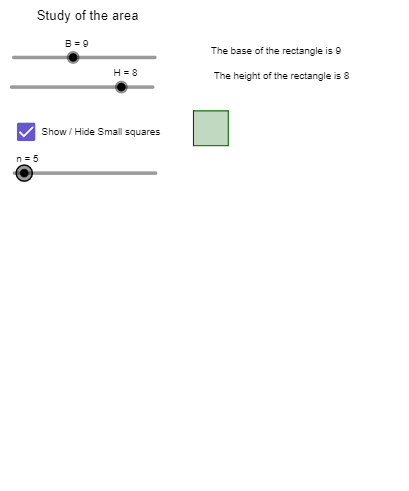
This example demonstrates how quadrilaterals can be constructed and compared by defining key points, drawing circles, and connecting vertices to form multiple polygon configurations. It highlights core geometry ideas such as quadrilateral vertex/edge structure, relationships involving circles and points, the use of midpoints as reference geometry, and systematic construction via parameter-like indexing. The construction uses GeoGebra commands including Circle (for circles), Polygon (to build quadrilateral/region shapes pol1, pol2, pol3), Point (for defining vertices and auxiliary points), Midpoint (to compute midpoints that guide subsequent connections), Join and Segment (to create connecting lines and sides), and Sequence (to generate sets of related objects efficiently). The scene includes multiple vertex sets (e.g., A, B, C, D and variants) together with auxiliary points and annotation objects (e.g., texto3). Suitable for classroom demonstrations and student exploration from middle school to early university, focusing on geometric construction skills and conceptual understanding of quadrilateral configurations.
GeoGebra Commands & Parameters
Circle(H_1, lado_1) → fPolygon(A_1, B_1, C, D) → pol1, a, b, c, dPoint(f) → K_1Point(f) → IMidpoint(c) → L_1Midpoint(b) → M_1Join(Sequence[Sequence[(i, j), i, 0, B - 1], j, 0, H - 1]) → L1Segment(K_1, H_1) → gPolygon(H_1, K_1, 4) → pol2, i, j, k, l, E, GCircle(J, lado_2) → hPoint(h) → N_1Polygon(J, N_1, 4) → pol3, m, p, q, r, O, PJoin(Sequence[Sequence[((r * 0.5), (m * 0.5)), r, 0, (2 * B) - 1], m, 0, (2 * H)]) → MSequence(Polygon[Element[L1, i], (x(Element[L1, i] + 1), y(Element[L1, i])), 4], i, 1, n) → KSequence(Polygon[Element[M, m], (x(Element[M, m] + 0.5), y(Element[M, m])), 4], m, 1, (4 * e)) → NPolygon(A, B_1, C, D) → q1, a_1, b_1, c_1, d_1
AI Drawing Prompt Reference
Draw a geometric figure containing multiple quadrilaterals and circles. The figure should include circles, vertices, auxiliary points, and quadrilaterals formed by these points. Use midpoints as reference points to connect circle points with vertices, and draw multiple quadrilaterals to show different configurations. The construction order is: first draw circles, define vertices, calculate midpoints, then connect points and generate polygons. The figure should clearly show the relationship between circles and points, and the structure of quadrilateral vertices and edges, suitable for geometry teaching and student exploration.
The prompt above was compiled from the original drawing commands and is for reference only.