
Integer to Roman Numeral
Loading the math board and drawing, please wait…
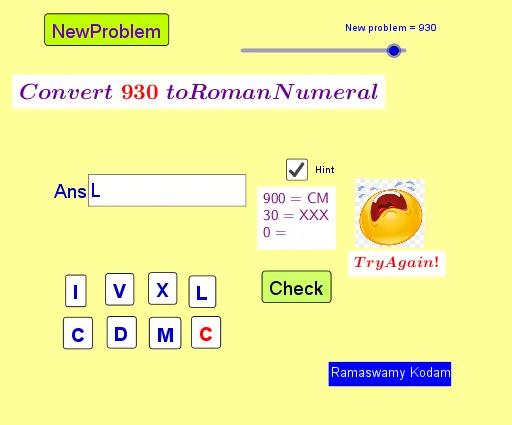
This example demonstrates how to convert integers to Roman numerals. Key mathematical concepts include integers and their representations. Users can input an integer, and the system will automatically convert it to the corresponding Roman numeral. The construction summary mentions the use of Text, Textfield, and other commands.
GeoGebra Commands & Parameters
Text(If[v ≟ 0, "", If[v ≟ 1, "I", If[v ≟ 2, "II", If[v ≟ 3, "III", If[v ≟ 4, "IV", If[v ≟ 5, "V", If[v ≟ 6, "VI", If[v ≟ 7, "VII", If[v ≟ 8, "VIII", "IX"]]]]]]]]]) → text3Text(If[t ≟ 0, "", If[t ≟ 1, "X", If[t ≟ 2, "XX", If[t ≟ 3, "XXX", If[t ≟ 4, "XL", If[t ≟ 5, "L", If[t ≟ 6, "LX", If[t ≟ 7, "LXX", If[t ≟ 8, "LXXX", "XC"]]]]]]]]]) → text4Text(If[h ≟ 0, "", If[h ≟ 1, "C", If[h ≟ 2, "CC", If[h ≟ 3, "CCC", If[h ≟ 4, "CD", If[h ≟ 5, "D", If[h ≟ 6, "DC", If[h ≟ 7, "DCC", If[h ≟ 8, "DCCC", If[h ≟ 9, "CM", "M"]]]]]]]]]]) → text5Textfield(textAns) → InputBox1
AI Drawing Prompt Reference
Please draw a diagram of a Roman numeral conversion. The diagram should include an input box for entering an integer, and corresponding Roman numeral text. The Roman numeral text should be automatically generated based on the integer size, from I to M. There should be a clear relationship between the input box and the text, showing the conversion process.
The prompt above was compiled from the original drawing commands and is for reference only.