
Sort Ascending Order
Loading the math board and drawing, please wait…
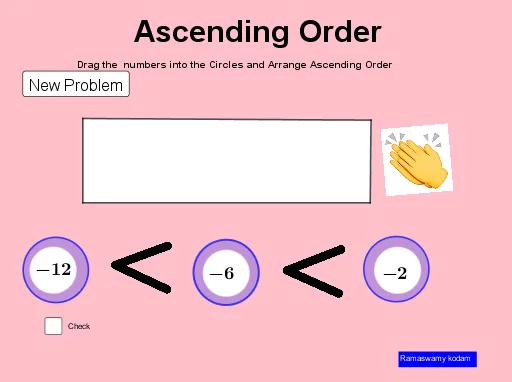
This example demonstrates how to sort a sequence in ascending order. Key mathematical concepts include sequences and sorting algorithms. Using GeoGebra commands such as Sequence, Shuffle, and Element, the process of generating and sorting sequences is dynamically illustrated. Suitable for students at the junior high school level and above.
GeoGebra Commands & Parameters
Sequence(-20, 10) → l1Shuffle(l1) → l2, {-12, -2, -6, -10, 3, 2, 8, -11, -14, 5, -3, 10, -20, 4, -5, -9, -18, 9, 1, -19, -4, -1, -15, -17, 0, -7, 6, -13, 7, -8, -16}Element(l2, 1) → aElement(l2, 2) → bCircle(B_1, 1) → gCircle(C_1, 1) → hCircle(D_1, 1) → kElement(l2, 3) → cIsInRegion(A, g) → iIsInRegion(B, g) → jIsInRegion(C, g) → lIsInRegion(A, h) → mIsInRegion(B, h) → nIsInRegion(C, h) → oIsInRegion(A, k) → pIsInRegion(B, k) → qIsInRegion(C, k) → rPolygon(D, E, F, G) → q1, d_1, e_1, f_1, g_1Sort(l3) → l4Element(l4, 1) → uElement(l4, 2) → vElement(l4, 3) → wSegment(D, E) → h_1Point(h_1) → USegment(U, F) → i_1Segment(G, F) → j_1Point(h_1) → VPoint(j_1) → WSegment(V, W) → k_1Circle(A, 0.7) → dCircle(C, 0.7) → fCircle(C, 0.7) → eCircle(B, 0.7) → s
AI Drawing Prompt Reference
Create a dynamic illustration showing the sorting of a random sequence. Start by generating a sequence of random numbers from -20 to 10, marking the first three numbers with circles and checking their positions. Then sort the sequence and connect the sorted numbers with lines to form an ordered structure. Finally, highlight the numbers with small circles and connect them with lines to show clear geometric relationships.
The prompt above was compiled from the original drawing commands and is for reference only.