
Inquiry about perimeters of two adjacent figures
Loading the math board and drawing, please wait…
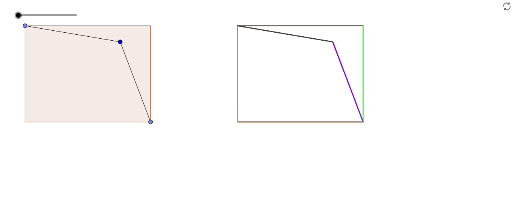
This example demonstrates how to construct and explore the perimeter relationships between two adjacent figures (e.g., polygons and cylinders) using GeoGebra. Core math concepts include perimeter calculation, polygon properties, and cylinder surface area. Construction highlights involve commands like Polygon, Point, Segment, and objects such as MovePtY, MovePtX, RecLength for dynamic adjustments and perimeter computations. Suitable for upper elementary or middle school students learning geometric perimeter calculations and spatial reasoning.
GeoGebra Commands & Parameters
Polygon(Corner2, Corner3, Corner4, Corner1) → LeftPoly, LeftE1, LeftE2, LeftE3, LeftE4Point(LeftPoly) → MovePt3Point(LeftPoly) → MovePt2Segment(MovePt3, MovePt1) → MoveSeg1Polygon(P_1, P_2, P_3, P_4, P_5, P_6) → HexP, PE_2, PE_3, PE_4, PE_5, PE_6, PE_1Segment(MovePt2, MovePt1) → MoveSeg2Polygon(Q_1, Q_2, Q_3, Q_4, Q_5, Q_6) → HexQ, QE_1, QE_2, QE_3, QE_4, QE_5, QE_6Segment(Q_2, Q_4) → QE24Segment(Q_4, Q_6) → QE46Segment(P_1, P_3) → PE13Segment(P_3, P_5) → PE35
AI Drawing Prompt Reference
Draw two adjacent figures, one a polygon and the other a cylinder, to demonstrate the relationship between their perimeters. Construct a polygon first, then mark points on it and connect segments to form a second adjacent polygon. Adjust the points dynamically to observe how the perimeters of both figures change, and calculate the perimeter of the polygon and the surface area of the cylinder.
The prompt above was compiled from the original drawing commands and is for reference only.