
Incandescent Light Bulb Construction
Loading the math board and drawing, please wait…
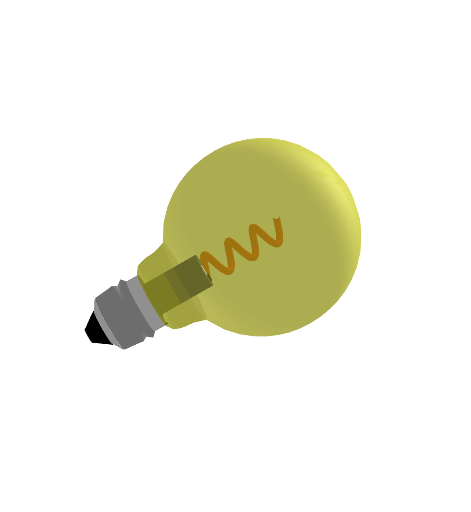
This example demonstrates the geometric construction of an incandescent light bulb, involving functions (linear, logarithmic, piecewise, quadratic), solid geometry, and vectors. Using GeoGebra commands such as Surface, Point, Segment, and CurveCartesian, a 3D model of the light bulb can be constructed. Suitable for high school mathematics education and learning.
GeoGebra Commands & Parameters
Surface(f, 360°, xAxis) → aSurface(g, 360°, xAxis) → bSurface(h, 360°, xAxis) → cSurface(j, 360°, xAxis) → dSurface(k, 360°, xAxis) → eSurface(p, 360°, xAxis) → iSurface(q, 360°, xAxis) → lPoint(xAxis) → CPoint(f) → DSegment(D, C) → s1Surface(s1, 360°, xAxis) → nSegment((-1.86, 0.65), (-1.86, 0)) → s2Surface(s2, 360°, xAxis) → oSurface(t, 360°, xAxis) → sSegment((-0.5, 0.4), (-0.5, 0)) → s3Surface(s3, 360°, xAxis) → mCurveCartesian(t, (0.3 * cos((10 * t))), (0.3 * sin((10 * t))), t, -1.5, 1.5) → u
AI Drawing Prompt Reference
Draw a 3D representation of an incandescent light bulb. The bulb should have a cylindrical body, a glowing top, and a base. The top is represented by a curve, and the base is a simple plane. Ensure the bulb looks realistic with a clear connection between the body and the top.
The prompt above was compiled from the original drawing commands and is for reference only.