
How Many Diameters?
Loading the math board and drawing, please wait…
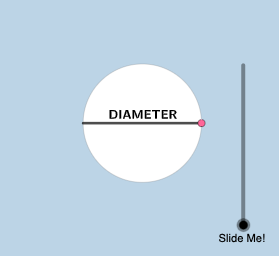
This example explores how many diameters can wrap perfectly around a circle through random experiments and geometric constructions, revealing the practical meaning of π. Key mathematical concepts include circle geometry, the definition of π, and statistical analysis of random experiments. Construction involves GeoGebra commands such as Segment, Rotate, CircleArc, etc. Suitable for middle or high school mathematics to understand basic circle properties and the intuitive understanding of π.
GeoGebra Commands & Parameters
Segment(((-r), 0), (r, 0)) → fRotate(((-r), 0), If[0 < a ≤ 1, ((-a) * pi / 2), ((-pi)) / 2], (r, 0)) → ASegment((r, 0), A) → gRotate(B, 2, (0, 0)) → B'Rotate(B', 2, (0, 0)) → B''Rotate(B'', 2, (0, 0)) → B'''Rotate(B, If[1.5 < a ≤ 2.5, ((a - 1.5) * 2), 2], (0, 0)) → B'_{1}CircleArc((0, 0), B, B'_{1}) → cCircle(B'_{1}, (2 * r) - c) → dLine((0, 0), B'_{1}) → hOrthogonalLine(B'_{1}, h) → iIntersect(d, i, 2) → CSegment(B'_{1}, C) → jDilate(B, If[3 ≤ a ≤ 4, 4 - a, 0], B') → DVector(B, D) → uTranslate(f, u) → f'Line((0, 0), B') → kOrthogonalLine(B', k) → lPoint(l) → EPoint(p) → FAngle(F, B', E) → αRotate(f', If[3 < a ≤ 4, ((a - 3) * α), α], D) → f''Rotate(B', If[4.5 < a ≤ 5.5, ((a - 4.5) * 2), 2], (0, 0)) → B''_{1}CircleArc((0, 0), B', B''_{1}) → eLine((0, 0), B''_{1}) → mOrthogonalLine(B''_{1}, m) → nCircle(B''_{1}, (2 * r) - e) → qIntersect(q, n, 2) → GSegment(B''_{1}, G) → sRotate(f, If[6 < a ≤ 7, ((a - 6) * pi / 2), pi / 2], B) → f'_{1}Rotate(B, If[7.5 < a ≤ 8.5, ((-(a - 7.5)) * 2), -2], (0, 0)) → B'_{2}CircleArc((0, 0), B'_{2}, B) → tCircle(B'_{2}, (2 * r) - t) → c_1Line((0, 0), B'_{2}) → bOrthogonalLine(B'_{2}, b) → f_1Intersect(c_1, f_1, 1) → HSegment(B'_{2}, H) → g_1Circle((0, 0), r) → d_1Vector(I, J) → vRotate((r, 0), 1, (0, 0)) → KRotate((r, 0), 3, (0, 0)) → LMirror(K, y = 0) → K'RotateText(text2, pi / 4) → text7
AI Drawing Prompt Reference
Draw a circle, then draw multiple diameters around the center. Rotate and translate each diameter to form intersecting line segments and arcs. Use rotation and mirroring to generate multiple diameters and arcs, creating a complex geometric shape that illustrates the relationship between the diameter of a circle and the value of π.
The prompt above was compiled from the original drawing commands and is for reference only.