
Hinged Dissection: Dodecahedron to Two Cubes
Loading the math board and drawing, please wait…
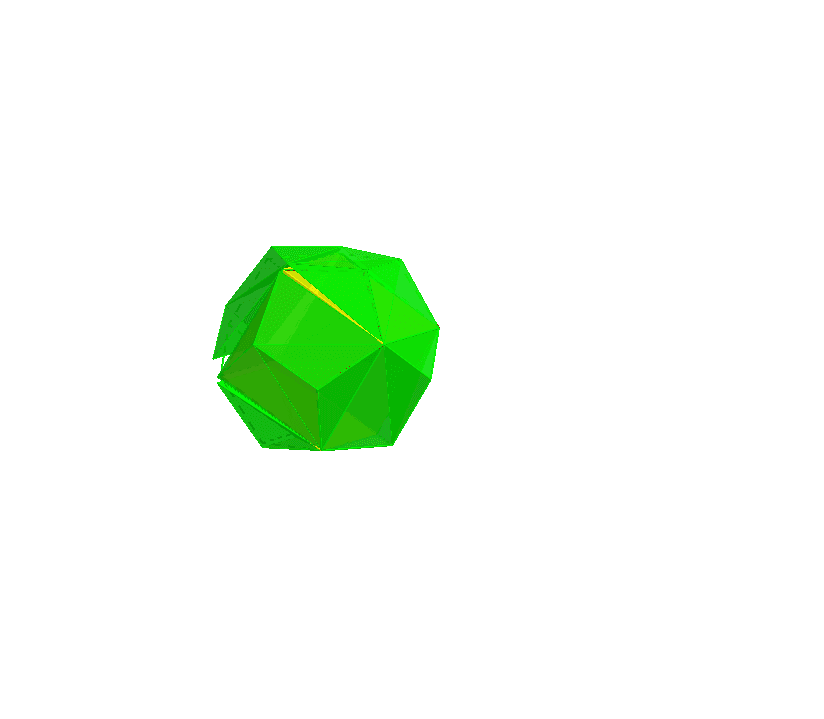
This example demonstrates the hinged dissection of a dodecahedron into two cubes, illustrating spatial geometry transformations and relationships between angles and volumes. Key GeoGebra commands and objects used include Intersect, Point, Dodecahedron, Prism, Pyramid, and Rotate. Suitable for high school students and geometry enthusiasts as a teaching tool or research aid.
GeoGebra Commands & Parameters
Intersect(yAxis, xAxis) → APoint(xAxis) → BPoint(Circle[((A * (1 - sqrt(5))) + (B * (3 + sqrt(5)))) / 4, (Distance[A, B] * sqrt(10 + (2 * sqrt(5))) / 4), Segment[A, B]]) → CDodecahedron(A, B, C) → a, D, M, N, O, P, Q, R, S, T, faceABCDE, faceAEIOJ, E, faceABFKJ, faceBCGLF, faceCDHMG, faceDEINH, faceINSTO, faceJKPTO, faceFKPQL, faceGLQRM, faceHMRSN, facePQRST, F, edgeAE_1, edgeAB_1, edgeBC_1, edgeCD_1, edgeDE_1, edgeAJ_1, edgeEI_1, edgeIO_1, edgeJO_1, edgeJK_1, G, edgeFK_1, edgeBF_1, edgeFL_1, edgeGL_1, edgeCG_1, edgeGM_1, edgeHM_1, edgeDH_1, edgeHN_1, edgeIN_1, H, edgeNS_1, edgeST_1, edgeOT_1, edgePT_1, edgeKP_1, edgePQ_1, edgeLQ, edgeQR_1, edgeMR_1, edgeRS_1, I, J, K, LPrism(I, J, B, D, S) → b, U, edgeIJ_1, edgeBJ_1, edgeBD_1, edgeDI_1, edgeIS_1, edgeJU, edgeBV, edgeDW, edgeSU, edgeUV, V, edgeVW, edgeSW, W, faceBDIJ_1, faceIJUS, faceBJUV, faceBDWV, faceDISW, faceSUVWPyramid(P, S, M, V, R) → c, faceMSPV, edgePR_1, edgeRS, edgeMR, edgeRV_1, facePRS, faceMRS, faceMRV, facePRV_1, edgePS_1, edgeMS_1, edgeMV, edgePV_1Pyramid(P, V, Q, R) → d, facePQV, edgeQR, facePRV, faceQRV, facePQR, edgePV, edgeQV, edgePQ, edgePR, edgeRVRotate(c, (n * π), Segment[L, M]) → c'Rotate(d, (n * π), Segment[L, M]) → d'Rotate(P, (n * π), Segment[L, M]) → P'Rotate(S, (n * π), Segment[L, M]) → S'Pyramid(J, I, S, P, O) → e, faceIJPS, edgeJO, edgeIO, edgeOS_1, edgeOP_1, faceIJO, faceIOS, faceOPS_1, faceJOP, edgeIJ_2, edgeIS_2, edgePS_2, edgeJP_1Pyramid(P, S, T, O) → f, facePST, edgeOT, faceOPS, faceOST, faceOPT, edgePS, edgeST, edgePT, edgeOP, edgeOSRotate(e, (n * π), Segment[L, M]) → e'Rotate(f, (n * π), Segment[L, M]) → f'Rotate(f', (n * π), Segment[P', S']) → f''Rotate(e', (n * π), Segment[P', S']) → e''Pyramid(B, L, M, D, C) → g, faceBDML, edgeBC, edgeCL_1, edgeCM_1, edgeCD, faceBCL, faceCLM_1, faceCDM, faceBCD, edgeBL_1, edgeLM_1, edgeDM_1, edgeBD_2Pyramid(L, M, G, C) → h, faceGLM, edgeCG, faceCLM, faceCGM, faceCGL, edgeLM, edgeGM, edgeGL, edgeCL, edgeCMPyramid(J, P, L, B, K) → i, faceBJPL, edgeJK, edgeKP, edgeKL_1, edgeBK_1, faceJKP, faceKLP, faceBKL_1, faceBJK, edgeJP, edgeLP, edgeBL_2, edgeBJ_2Pyramid(B, L, F, K) → j, faceBFL, edgeFK, faceBKL, faceFKL, faceBFK, edgeBL, edgeFL, edgeBF, edgeBK, edgeKLRotate(i, (n * π), Segment[B, L]) → i'Rotate(j, (n * π), Segment[B, L]) → j'Pyramid(M, S, I, D, H) → k, faceDISM, edgeHM, edgeHS_1, edgeHI_1, edgeDH, faceHMS, faceHIS_1, faceDHI, faceDHM, edgeMS, edgeIS_3, edgeDI_2, edgeDMPyramid(S, I, N, H) → l, faceINS, edgeHN, faceHIS, faceHIN, faceHNS, edgeIS, edgeIN, edgeNS, edgeHS, edgeHIRotate(k, (n * π), Segment[M, D]) → k'Rotate(l, (n * π), Segment[M, D]) → l'Pyramid(D, I, J, B, E) → m, faceBDIJ, edgeDE, edgeEI, edgeEJ_1, edgeBE_1, faceDEI, faceEIJ, faceBEJ_1, faceBDE, edgeDI, edgeIJ, edgeBJ_3, edgeBDPyramid(B, J, A, E) → o, faceABJ, edgeAE, faceBEJ, faceAEJ, faceABE, edgeBJ, edgeAJ, edgeAB, edgeBE, edgeEJRotate(o, (n * π), Segment[D, B]) → o'Rotate(m, (n * π), Segment[D, B]) → m'
AI Drawing Prompt Reference
Draw a hinged dissection of a dodecahedron into two cubes, illustrating spatial geometry transformations and relationships between angles and volumes. Start by plotting the intersection of coordinate axes and creating a dodecahedron based on these points, then form two cubes. Use rotations and reflections to show the dodecahedron decomposing into the two cubes, with the final image displaying the separated cubes.
The prompt above was compiled from the original drawing commands and is for reference only.