
Hexagons around hexagon
Loading the math board and drawing, please wait…
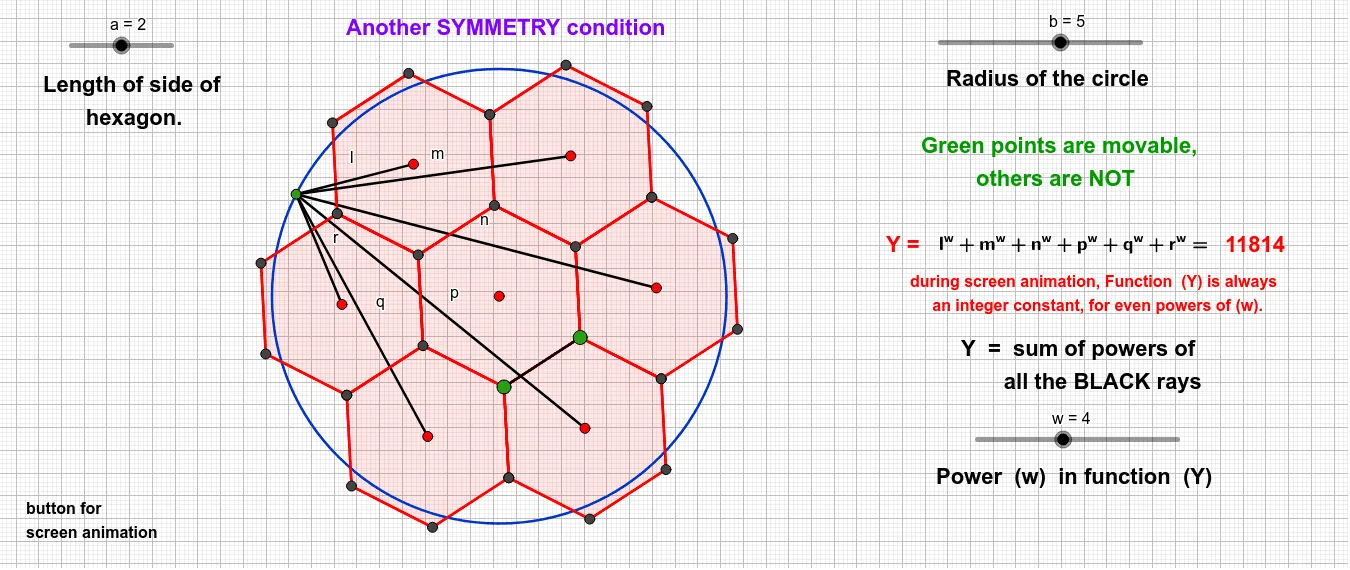
This example demonstrates the creation of multiple hexagons surrounding a central hexagon, highlighting concepts like polygons, symmetry, geometric construction, and centroid calculation. It utilizes GeoGebra commands such as Point, Polygon, Centroid, Circle, and Segment to construct the shapes and explore their properties, making it suitable for high school and above students studying geometry and transformations.
GeoGebra Commands & Parameters
Point(Circle[A, a]) → BPolygon(B, A, 6) → poly6, t_1, B_1, a_1, b_1, c_1, d_1, e_1, W, Z, A_1Centroid(poly6) → L_1Polygon(A, B, 6) → poly1, g, F, h, i, j, k, l_3, C, D, ECentroid(poly1) → G_1Circle(G_1, b) → c_2Point(c_2) → N_1Segment(L_1, N_1) → pPolygon(C, B, 6) → poly7, f_2, F_1, g_2, h_2, i_2, j_2, k_2, C_1, D_1, E_1Centroid(poly7) → M_1Segment(M_1, N_1) → nPolygon(A, F, 6) → poly5, m_1, V, n_1, p_1, q_1, r_1, s_1, S, T, UCentroid(poly5) → K_1Segment(K_1, N_1) → qPolygon(F, E, 6) → poly4, g_1, R, h_1, i_1, j_1, k_1, l_1, O, P, QCentroid(poly4) → J_1Segment(J_1, N_1) → rPolygon(E, D, 6) → poly3, t, N, b_2, c, d, e, f_1, K, L, MCentroid(poly3) → I_1Segment(I_1, N_1) → lPolygon(D, C, 6) → poly2, m_3, J, n_3, p_3, q_3, r_3, s, G, H, ICentroid(poly2) → H_1Segment(H_1, N_1) → mSegment(A, B) → f
AI Drawing Prompt Reference
Draw a central regular hexagon, then construct six additional regular hexagons around it, each sharing one side with the central one, forming a symmetric ring. Locate the centroid of each hexagon, and from a point on the circumcircle of the central hexagon, draw line segments to each centroid, creating radial connections. The figure highlights polygonal symmetry, centroid relationships, and geometric construction.
The prompt above was compiled from the original drawing commands and is for reference only.