
Group 9: Rotation-driven construction with power-function parameters and circles
Loading the math board and drawing, please wait…
In collections
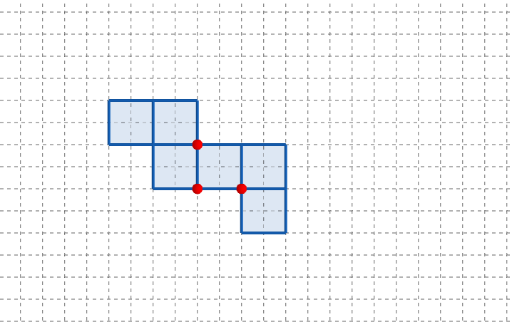
長方體有多少個摺紙圖樣?
This example demonstrates how to build a structured geometric configuration by creating key points and polygons, then updating the drawing via rotation with parameterized inputs. It connects circle geometry (circumcircle / circumscribed circle) with power-function-related parameters so that the overall figure evolves coherently across the plane. The key mathematical ideas are geometric construction (points and polygons), transformation geometry through Rotate, properties associated with circles (circum/circumscribed circle), and parameter-controlled relationships inspired by power functions. Construction highlights in GeoGebra: use Point to create the defining points (e.g., A, B, C and multiple parameter-dependent points such as q1, q2…q6 and their primed counterparts), Polygon to form the boundaries of the displayed figure, and Rotate to rotate objects by a parameter t (and variants like t'), producing updated images. Interactive elements like button1/button2 and annotation via text1 support step-by-step exploration. Suitable for secondary to early undergraduate learners to study transformation geometry, circle constructions, and parameterized visualization of function-driven shapes.
GeoGebra Commands & Parameters
Point(Ray[(1, 0), (3, 0)]) → APoint(Ray[A + (1, 0), A + (2, 0)]) → CPoint(Ray[A + (0, 1), A + (0, 2)]) → BPolygon({(0, 0), A, B, (0, y(B))}) → q1Polygon({A, C, (x(C), y(B)), B}) → q2Polygon({C, C - (0, h), C + (l, (-h)), C + (l, 0)}) → q3Polygon({B, B + (0, h), B + ((-l), h), B + ((-l), 0)}) → q4Polygon({C, C + (l, 0), C + (l, w), C + (0, w)}) → q5Polygon({(0, w), (0, w + h), ((-w), w + h), ((-w), w)}) → q6Rotate(q4, (90° * t), Line[(0, w), B]) → q4'Rotate(q2, (90° * t), Line[B, A]) → q2'Rotate(Rotate[q5, (90° * t), Line[C + (0, w), C]], (90° * t), Line[B, A]) → q5'Rotate(Rotate[q6, (90° * t), Line[(0, w), (0, w + h)]], (90° * t), Line[(0, w), B]) → q6'Rotate(Rotate[Rotate[q3, (90° * t), Line[C + (l, 0), C]], (90° * t), Line[C + (0, w), C]], (90° * t), Line[B, A]) → q3'
AI Drawing Prompt Reference
Please draw a geometric figure composed of points and polygons. First, create three key points A, B, and C. Then, create multiple polygons, including q1 to q6, which involve circle geometry and power-function parameters. Next, use rotation transformations with parameter t to update parts of the polygons, such as q4', q2', q5', and q6'. The entire figure maintains consistency through rotation and parameter control, illustrating the connection between circle geometry and function parameters.
The prompt above was compiled from the original drawing commands and is for reference only.