
Geometric Construction of Regular Polygon Area
Loading the math board and drawing, please wait…
In collections
Geometry - Area & Volume
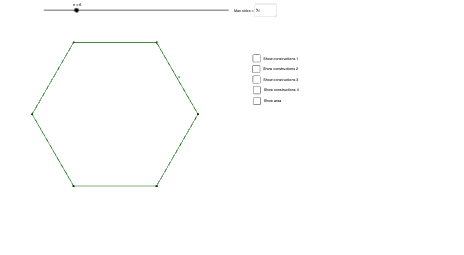
This example demonstrates how to construct a regular polygon with a chosen number of sides n, then express and visualize its area via geometric decomposition. It focuses on concepts such as central angles (θ), symmetry-based partitioning into congruent triangles, and area relationships derived from segment heights and ratios. Construction highlights include: using Sequence to generate vertices, Polygon to draw the regular polygon, OrthogonalLine to build perpendiculars for key height measurements, and Intersect to locate crucial intersection points that define the subregions. The model employs Angle to mark the central/related angles, Rotate to replicate symmetric features around the center, and Circle together with Segment to support the geometric scaffolding. Textfield/Text label intermediate quantities (e.g., a, b, s, c, θ) so students can track how the area components relate. Suitable for middle/high school geometry, classroom demonstrations, and parameterized geometric reasoning.
GeoGebra Commands & Parameters
Sequence(Rotate[A, ((2 * pi / n) * i), B], i, 0, n) → list1Sequence(Segment[Element[list1, i], Element[list1, i + 1]], i, 0, n) → list2Polygon(A, B, Element[list1, 2]) → poly1, b, a_1, b_1OrthogonalLine(B, b_1) → dIntersect(d, b_1) → CSegment(B, C) → eAngle(B, C, A) → αRotate(A, (2 * pi / n), B) → A'Angle(A, B, A') → θCircle(B, 2) → fSegment(A, C) → gPolygon(list1) → poly2Textfield(s) → InputBox1Point(list2) → DPoint(list2) → ESegment(A, A') → p
AI Drawing Prompt Reference
Construct a parameterized geometry showing a regular polygon inscribed in a circle: start from a chosen center and one initial vertex, generate the remaining vertices by stepping through equal central angles around the center, and connect consecutive vertices to form the regular polygon. Build a perpendicular from the relevant vertex/edge direction to the corresponding radius-related line to locate a key intersection point. Draw the segment from the center to that intersection and the segment between the two defining points, then mark the central/related angle and also the angle formed before and after rotating the configuration about the center by one polygon step. Include an auxiliary circle and a short segment used to support the height/ratio interpretation, and add a text input/label area to track intermediate quantities like the angle and height components used for the area decomposition.
The prompt above was compiled from the original drawing commands and is for reference only.