
Graphing Sine and Cosine Functions (All Transformations)
Loading the math board and drawing, please wait…
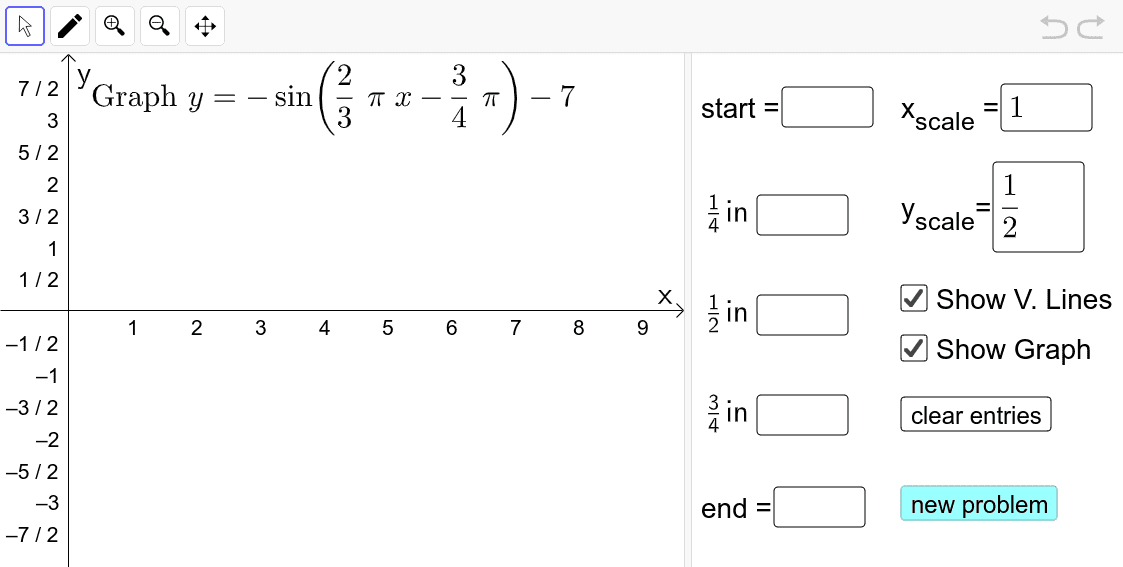
This example demonstrates the graphing of sine and cosine functions along with all possible transformations. Key math concepts include trigonometric functions, function graph transformations, and coordinate systems. It is constructed using GeoGebra commands like Textfield, Point, FitSin, Sequence, Union, RandomElement, Random, If, and involves objects such as sliders and input boxes for dynamic parameter adjustments. Ideal for high school mathematics teaching and function transformation studies.
GeoGebra Commands & Parameters
Textfield(start) → InputBox1Textfield(end) → InputBox2Textfield(k1) → InputBox3Textfield(k2) → InputBox4Textfield(k3) → InputBox5Point(eq6) → APoint(eq7) → BPoint(eq8) → CPoint(eq9) → DTextfield(a) → InputBox6Textfield(b) → InputBox7Point(eq10) → EPoint(eq7) → FFitSin({A, C, D, E, F}) → fSequence(i, i, -6, -0.5, 0.5) → ampLeftList, {-6, -5.5, -5, -4.5, -4, -3.5, -3, -2.5, -2, -1.5, -1, -0.5}Sequence(i, i, 0.5, 6, 0.5) → ampRightList, {0.5, 1, 1.5, 2, 2.5, 3, 3.5, 4, 4.5, 5, 5.5, 6}Union(ampLeftList, ampRightList) → ampListRandomElement(ampList) → ampRandomElement(Sequence[i, i, -8, 8, 0.5]) → dvalRandomElement({1, 2, 3, 4, 5}) → bnumRandomElement({1, 2, 3, 4, 5}) → bdenomRandomElement({1, 2, 3, 4, 5}) → cnumRandomElement({1, 2, 3, 4, 5}) → cdenomRandom(1, 2) → ccIf(cc ≟ 1, (amp * sin(((bnum / bdenom * π) * x) - (cnum / cdenom * π))) + dval, (amp * cos(((bnum * π / bdenom) * x) - (cnum * π / cdenom))) + dval) → p
AI Drawing Prompt Reference
Draw a graph of sine and cosine functions with dynamic parameter adjustments. Include input boxes and points for adjusting amplitude, frequency, and phase. The graph shows transformed sine and cosine curves connected by points. This graph is useful for teaching function transformation concepts.
The prompt above was compiled from the original drawing commands and is for reference only.